

The search results for competitive intelligence tools mix vendor product pages, vendor comparisons, review directories, and practitioner discussions. Read each recommendation with its publisher’s commercial interest in mind.
Unkover doesn’t sell competitive intelligence software. We’re a media publication covering the CI space. Our shortlist groups tools by the work they support; it is not a ranking of measured product performance.
This guide covers 15 competitive intelligence tools and resources across different budgets and use cases. The September review adds current packaging checks and a repeatable buying trial. Public documentation supports the additions; we did not run a hands-on benchmark or obtain enterprise quotes.
TL;DR — Where to Start Your Shortlist
Category Our Pick Starting Price CI and seller guidance Klue Request quote Automated intel collection Crayon Custom quote Published CI configuration limits Kompyte Custom quote Weekly competitor digests RivalSense Verify current plan Digital competitive analysis Semrush See current regional package Website monitoring Visualping Free (5 pages, 150 checks/month) Customer-review research G2 Public reviews; access varies
What are competitive intelligence tools, and which job do you need them to do?
Competitive intelligence tools help you collect, interpret, or distribute information about competitors. Some support a whole team’s workflow; others supply one input, such as page changes or search estimates. Choose the job first: an evidence-backed answer for a seller calls for different capabilities from a weekly market briefing.
Shortlist tools by the work your team needs to complete. A platform that delivers battlecards inside a CRM solves a different problem from a traffic estimator or a page-change monitor. Before comparing prices, write the required output and the person who will use it. Then ask each vendor to demonstrate that workflow on your competitors.
The descriptions below use public documentation checked September 7-9, 2026, with pricing limits noted in each profile. They describe advertised capabilities, not results from a hands-on benchmark. No enterprise quotes were obtained. Missing current prices or ratings are not filled with old estimates.
| Buying job | Candidates in this guide | What to verify before paying |
|---|---|---|
| Deliver competitive guidance to sellers | Klue, Crayon, Kompyte | Can a rep retrieve a source-backed answer inside your actual CRM or collaboration tool? |
| Research markets and company developments | AlphaSense, Contify, Feedly Market Intelligence | Are the documents, languages, history, and export rights you need included? |
| Compare digital acquisition | Semrush, Similarweb, SpyFu | Which countries, time periods, channels, and usage limits are in the selected package? |
| Watch a short list of public pages | Visualping, with Google Alerts for additional mentions | Can you recover the original change and tune noisy pages without missing important edits? |
| Gather company, review, or technology clues | Owler, G2, Wappalyzer | What is observed, estimated, or user-reported, and how old is it? |
| Receive a curated competitor digest | RivalSense | Does the sample briefing contain useful original sources, and what monitoring coverage is included? |
Three current packaging details change the comparison. Kompyte’s plans define Essentials as 10 tracked companies and 25 user licenses, with unlimited battlecards and listening alerts. Its definition of a user includes people consuming intelligence through email or integrations, not just dashboard logins. Price depends on competitors, licenses, and permissions; the public page does not substantiate the earlier $300/month entry price.
Visualping’s current pricing page includes AI change summaries and an importance flag, so treating it as a screenshot-only alert tool understates its documented features. Free includes five pages and 150 monthly checks. Business 20K is $140/month when billed monthly, or $1,200/year. The distinction between checks, pages, and notification destinations matters more than a headline starting price.
Feedly Market Intelligence is a different purchase from a personal feed reader: Standard is $1,600/month billed annually for up to 10 seats; Advanced is $2,400/month billed annually for up to 25 seats and includes API access and SSO. Don’t use a personal-reader price to budget a team intelligence deployment.
What should a competitive intelligence tools quote include?
A useful quote names the configuration your team can actually deploy: tracked competitors, sources, consuming users, delivery destinations, history, support, and contract term. Ask the vendor to tie those items to the workflow demonstrated in your trial. A price without that scope is not yet comparable with another proposal.
| Quote line | Ask the vendor to specify | Why it changes the decision |
|---|---|---|
| Coverage | Companies, URLs per company, countries, languages, and history | A broad source count can hide a gap in your actual competitor set. |
| People | Editors, readers, external recipients, and integration consumers | Dashboard seats may not cover everyone who receives the intelligence. |
| Collection | Check allowance, minimum interval, overages, and failure handling | The fastest selectable interval is not a promise of continuous coverage. |
| Delivery | Required CRM, chat, API, exports, and permission controls | A feature advertised by the vendor may require a different package. |
| Commitment | Billing term, renewal, implementation, support, and exit terms | A monthly equivalent can still require an annual commitment. |
For example, Kompyte Essentials lists 50 tracked URLs per company as well as its company and license limits. Count the pages you need before comparing it with another plan. Its user definition includes people consuming intelligence through email or CRM; a team with two editors may still need many reader licenses.
On Visualping Free, five pages share 150 monthly checks. Over a 30-day month, that allowance averages one check per page per day if allocated evenly. The selectable 60-minute interval does not fund hourly checks on every page all month. This is allowance arithmetic, not a measured detection guarantee.
Finally, write down the total commitment rather than only the monthly equivalent. Feedly Market Intelligence Standard’s $1,600 monthly rate billed annually implies $19,200 for a year before any extras or taxes. That does not establish your quote, but it prevents a personal-reader budget from being mistaken for a team-platform budget.
How should you test competitive intelligence tools in a two-week trial?
Give shortlisted tools the same small set of sources and the same required output. Measure the work needed to turn their results into something a colleague can use. A vendor’s total source count tells you little about coverage of your particular competitors. A demo should leave you with evidence you can inspect after the call.
Use a two-week evaluation as a proposed starting plan, extending it if few meaningful changes occur. Before the trial, assemble a reference set of known dated events, recent pricing captures, and a permitted internal question. A known past event tests retrieval; it does not test live detection latency.
Before day one, name the buying decision, the reviewer, and the colleague who needs the output. Set your own acceptable review time and error tolerance; there is no universal pass score in this guide. Use nonconfidential test material and permitted public sources. Do not upload customer records or internal documents until the relevant owner has approved the vendor and the data use.
Days one through three: configure comparable inputs. Give each candidate the same permitted competitor list, page set, and reporting question. Record anything it cannot cover without an upgrade. For search tools, keep country, period, domain, and metric definitions aligned. Comparing one vendor’s estimated visits with another’s keyword count tells you nothing about which serves the decision better.
Days four through 10: inspect the results. Save source links, observation times, duplicates, unsupported interpretations, and the minutes needed to approve each useful item. Keep a small manual reference set alongside the tools. A missed event means a miss against that set, not against everything published on the web. A quiet fortnight is inconclusive; extend the trial or separately test retrieval against a permitted historical scenario.
Days 11 through 14: test the handoff. Give a test reader one approved claim, then correct it. Can they find the current version in their normal workflow? Can the analyst trace its source and withdraw the stale version? Test export and denied-access behavior as well as the happy path. A polished summary is not useful if the recipient cannot establish whether it is current.
Calculate sample relevance as relevant inspected outputs divided by all inspected outputs, recording the denominator and dates. Keep duplicate rate and review minutes separate so that one candidate cannot look better merely by producing less material. These are proposed trial measurements, not scores for the 15 tools below. Add subscription, required seats and add-ons, implementation, integrations, and measured analyst hours at your chosen hourly rate before comparing total cost.
Ask for these outputs:
- A finding with the original URL, observation time, and relevant passage or before/after capture.
- An answer to a sales question that clearly distinguishes documented fact from interpretation.
- Delivery to a real workflow surface, using a test record and the permissions your team expects.
- An export and a written account of retention, usage limits, and what happens when the contract ends.
Keep a simple tally: relevant findings accepted, irrelevant findings dismissed, known events missed, and minutes spent verifying the output. Do not present those counts as a market-wide accuracy score. Two tools can find different sets of useful events; inspect the misses before declaring a winner.
Then price the configuration you actually used: annual commitment, number of tracked companies, consuming users, refresh frequency, history, API access, and support. Add the owner’s review time. If the tool needs more curation than your team can provide, a longer feature list won’t fix the mismatch.
For a sales-led team, start with the candidate that can demonstrate a trustworthy answer where reps already work. For a part-time CI owner watching a handful of pages, begin with a smaller collection setup and a named reviewer. Use our competitive intelligence report workflow to define the output before making the buying decision.
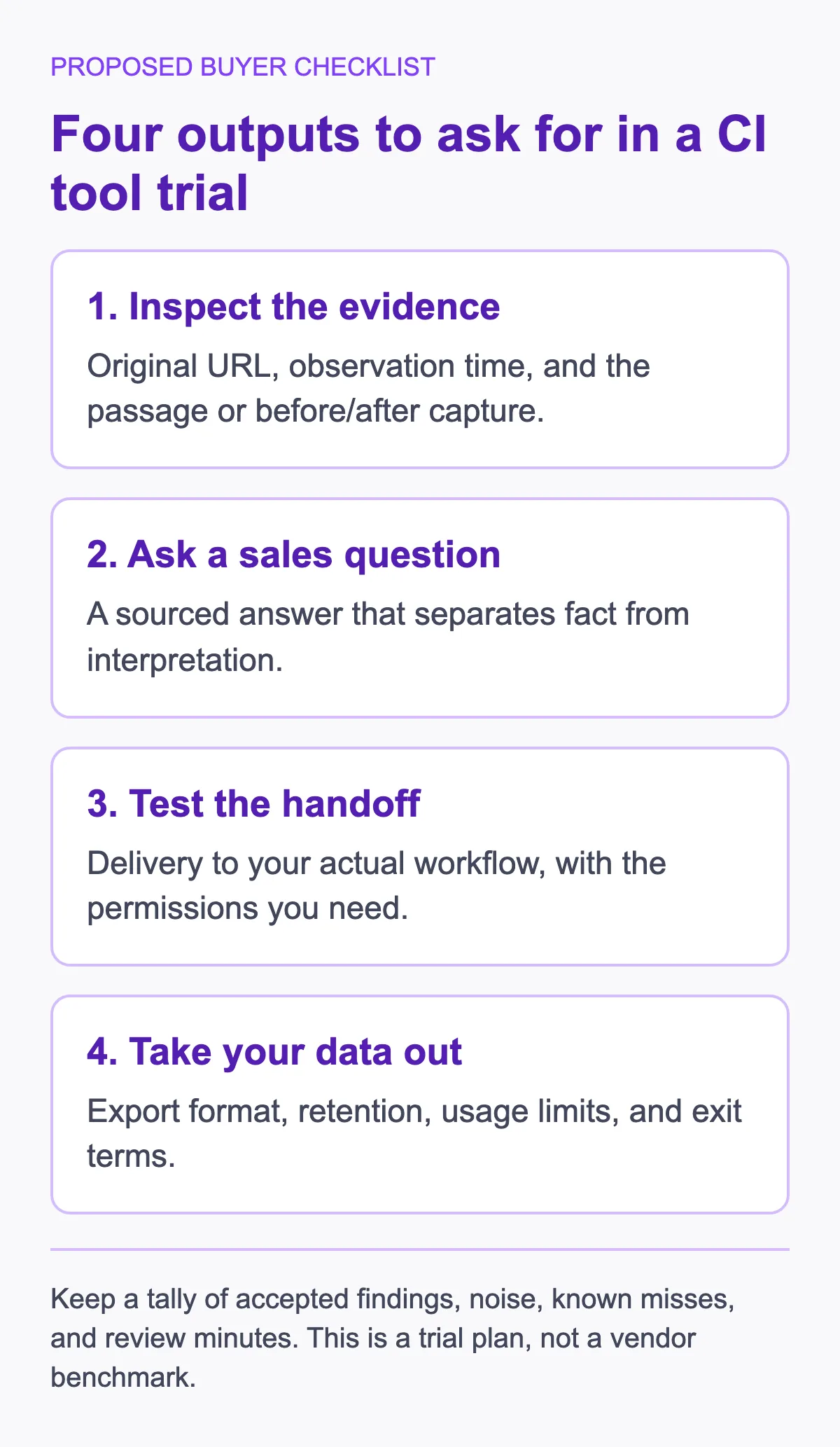
A proposed buyer checklist, not a vendor benchmark.
How should you compare the candidates?
Use these five criteria to compare the tools. This refresh checks public documentation, not a scored or hands-on benchmark. The right choice depends on your team, budget, and what phase of CI maturity you’re in.
1. Core CI capability — Does it actually help you gather, analyze, and distribute competitive intelligence? A specialist data source and a purpose-built CI platform solve different parts of that workflow; judge each against the job you need.
2. Ease of use — How quickly can a team get value from it? Ask who will configure sources, approve findings, and maintain the workflow, then measure that work during the trial.
3. Pricing transparency — Is pricing published, or do you need a configured quote? Public prices help with an initial shortlist, but a useful quote must still identify what is included and what costs extra.
4. Integration ecosystem — Does it connect with the tools your team already uses? CRM integration (Salesforce, HubSpot), Slack notifications, and email alerts matter.
5. Value for money — What do you actually get relative to what you pay? Compare the total commitment with the required outputs and the analyst time measured in your trial. A cheaper subscription is not automatically a cheaper working process.
A note on pricing: Distinguish published list prices from third-party estimates. Quote-based tools require an actual quote for your configuration. Compare the contract term, consuming users, source coverage, and integrations before budgeting.
If you’re evaluating how AI fits into your CI tech stack before committing to a platform, our AI competitive intelligence guide covers the 4-layer architecture (collection, processing, analysis, distribution), a five-level maturity model, and a frank comparison of DIY vs. platform vs. hybrid approaches at every budget level.
What do the 15 tools include, and where do their limits matter?
| # | Tool | Category | Use Case | Price Boundary | What to Inspect |
|---|---|---|---|---|---|
| 1 | Klue | CI Platform | CI and seller guidance | Request quote | Compete Agent and win/loss workflow |
| 2 | Crayon | CI Platform | Automated intel collection | Custom quote | Source coverage and delivery to sellers |
| 3 | Kompyte | CI Platform | Monitoring and battlecards | Custom quote | Company, URL, and consuming-user limits |
| 4 | AlphaSense | Market Intelligence | Deep research | Request quote | Research library, internal search, and alerts |
| 5 | Contify | Market Intelligence | Market and company monitoring | Request quote | News feeds, analyst support, and battlecards |
| 6 | Semrush | Digital Intel | SEO and PPC analysis | Current regional package | Required toolkit and data coverage |
| 7 | Similarweb | Digital Intel | Traffic and market share | Verify current package | Estimated metrics, countries, and history |
| 8 | Visualping | Monitoring | Website changes | Free; Personal 1K $14/month | Check allowance and AI summaries |
| 9 | RivalSense | AI CI | Competitor digests | Verify current plan | Weekly email/Slack delivery and sources |
| 10 | Feedly | Aggregation | Curated intelligence feeds | Reader/team plans differ | Market Intelligence seats and integration tier |
| 11 | Owler | Company Intel | Company profiles | Current access unverified | Data age and estimate provenance |
| 12 | SpyFu | Digital Intel | Search intelligence | Basic $39/month | Historical search data and plan limits |
| 13 | G2 | Review Platform | Review research | Public access varies | Dated reviews, not representative samples |
| 14 | Google Alerts | Monitoring | Matching Search results | Free | Query settings and observed coverage |
| 15 | Wappalyzer | Tech Intel | Website technologies | Free extension; paid options | Publicly detectable technologies only |
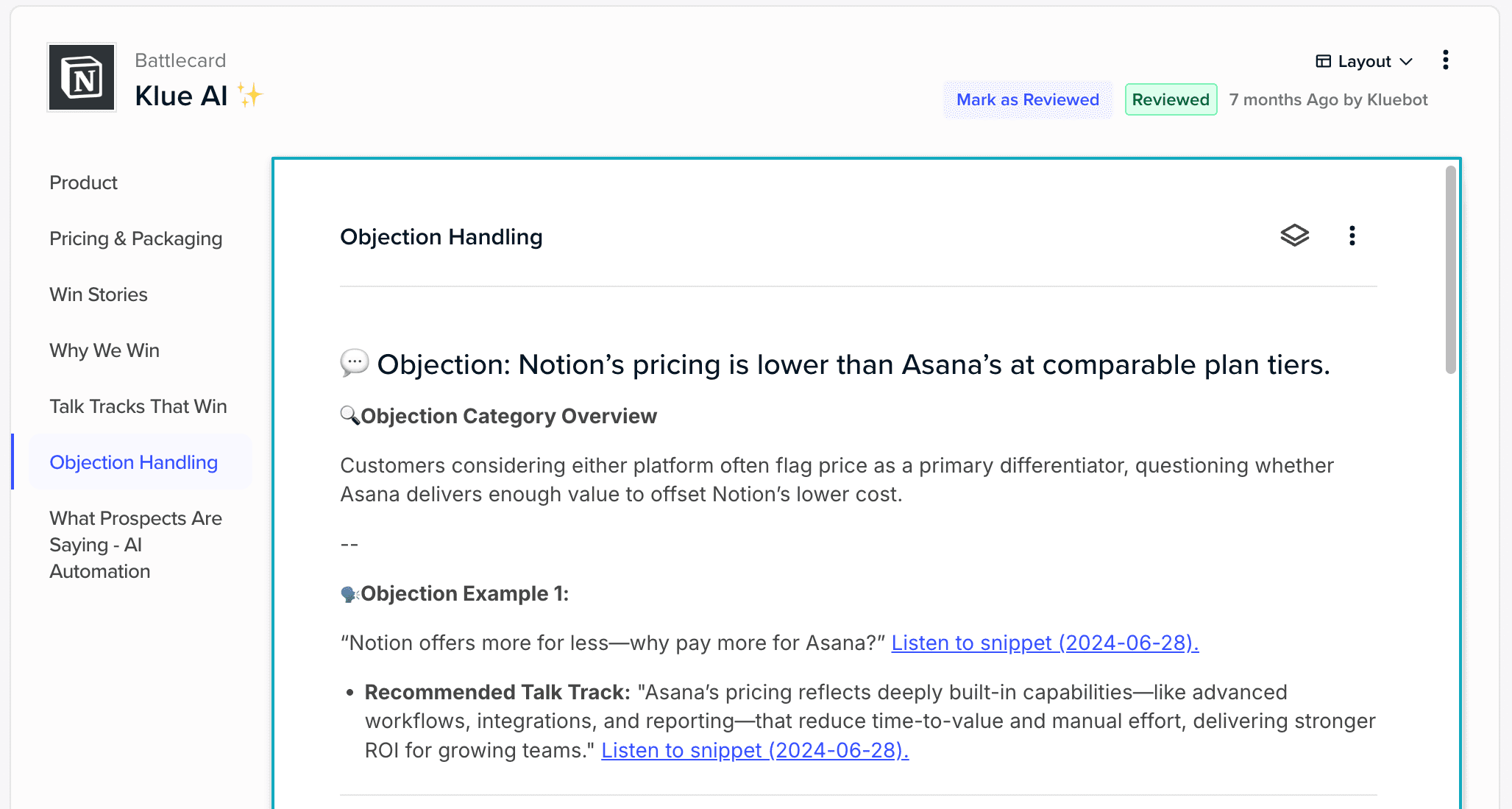
1. Klue — CI and Sales Enablement
What Klue Does
Klue is an AI-powered competitive intelligence platform built for product marketing and sales enablement teams. Its current product page presents competitive intelligence and win/loss in one platform, with a Compete Agent for research and deal assistance. For sales battle cards, ask how new findings become approved seller guidance.
Klue advertises workplace delivery and deal-based insights. Evaluate that handoff using a test sales question rather than assuming an AI-generated answer is ready for customer use.
Pricing
Request a configuration-specific quote. This refresh did not verify a current list price; the earlier annual estimates are not a budget commitment. Confirm users, competitors, delivery integrations, and onboarding terms.
Best For
Mid-market to enterprise teams with a dedicated product marketing or CI function and a recurring need to distribute seller guidance.
Verdict
Shortlist Klue when seller guidance and win/loss belong in the same workflow. Ask a rep to retrieve an approved answer and its source during the trial. The advertised scope supports that evaluation; it does not prove superior battlecards, a particular onboarding duration, or a return on your quote.
2. Crayon — Automated Intel Collection
What Crayon Does
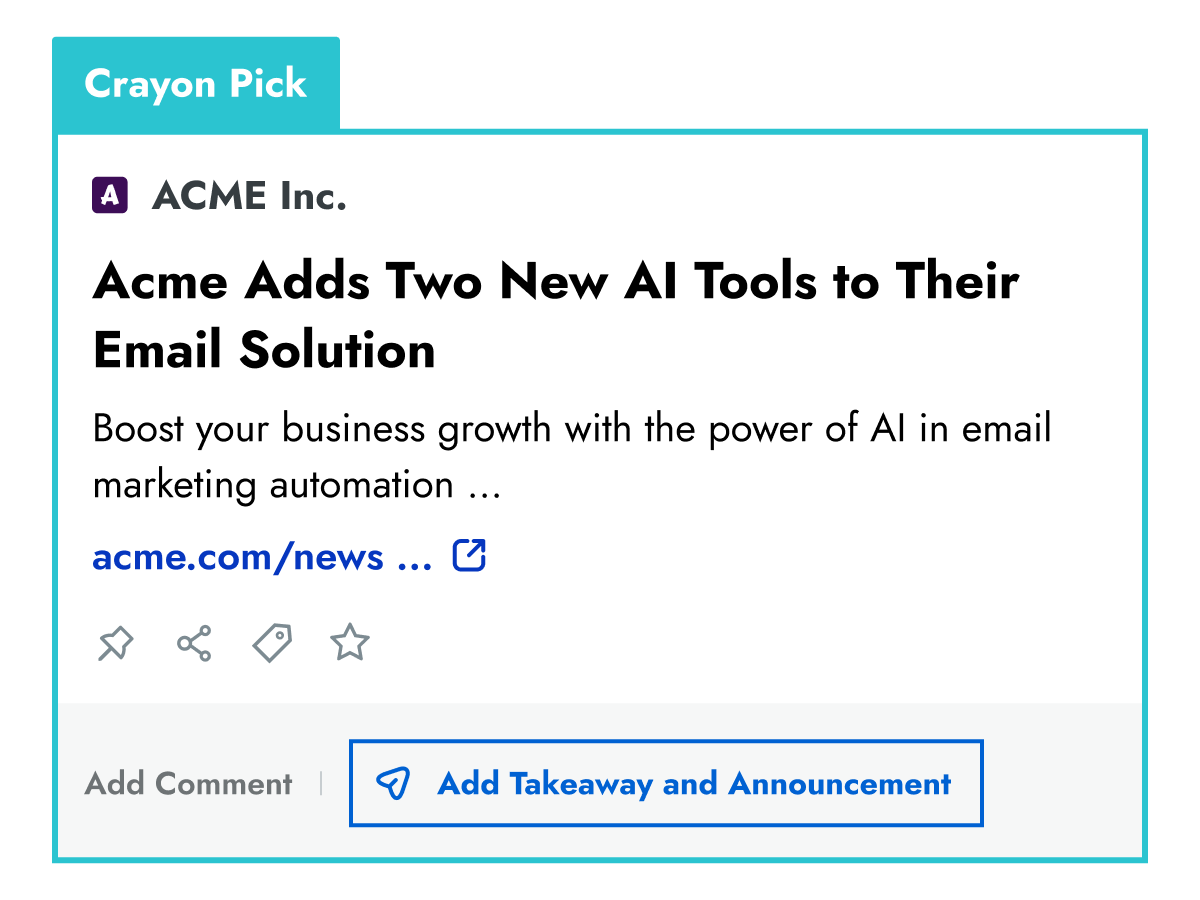
Crayon is a competitive intelligence platform that collects and analyzes competitive signals. Its advertised monitoring covers pricing page changes, job postings, and press releases, with prioritized intelligence delivered to your team. Crayon also offers a revenue intelligence layer for competitive deal support — helping CI teams connect their work directly to pipeline impact.
The Crayon collection offering makes automated monitoring a reason to shortlist it. Source breadth alone does not establish detection quality: check your own competitors, inspect missed events, and measure the work needed to turn alerts into usable guidance. Vendor reports about competitive deals are not evidence that buying the platform will produce incremental revenue for your team.
Pricing
Custom quote through Crayon’s pricing inquiry. The September 8 read offered a tailored estimate, not a public list price. Specify tracked competitors, recipients, integrations, and support before comparing it with another platform.
Best For
Teams that need automated intelligence collection feeding a recurring competitive-enablement workflow.
Verdict
Crayon is worth examining when collection is the bottleneck in your CI program. Ask it to demonstrate source-level evidence, filtering, and distribution on the same sample you give other candidates. We have no comparative test establishing that it catches more signals than Klue, and no current quote establishing which is better value.
3. Kompyte (by Semrush) — Dedicated CI with Clear Packaging
Kompyte Essentials buying checks
- 10 tracked companies
- Count the competitors you need to monitor.
- 50 URLs per company
- Check each competitor’s page list. A spare slot elsewhere does not establish a shared allowance.
- 25 user licenses
- Count people receiving intelligence through email or CRM, as well as dashboard users.
- Example: 2 editors + 24 readers
- 26 distinct people exceed the 25-license limit, even if only two people log in.
Unkover buying guidance using Kompyte’s published Essentials limits, checked September 14, 2026. The 26-person team is hypothetical; no price or product-test result is implied. Request a configured quote.
What Kompyte Does
Kompyte is an AI-powered CI platform owned by Semrush. It covers the core CI workflow: competitor monitoring, automated alerts, battlecard generation, and win/loss analysis. Its public plan limits help you inspect the configuration, not establish a price advantage over competitors.
Its plans include search-marketing tracking alongside website monitoring. Confirm which data and integrations your proposal includes; shared ownership with Semrush is not evidence that every Semrush dataset is bundled.
Pricing
Custom quote. Kompyte’s published plans specify 10 companies and 25 user licenses for Essentials, with unlimited battlecards and listening alerts. Pricing depends on tracked competitors, licenses, SSO, and advanced permissions. Annual plans are standard; shorter terms may carry a premium. The public page does not confirm a $300/month entry price.
Best For
Mid-market teams that need monitoring, battlecards, and integrations; confirm the cost for all consuming users.
Verdict
Kompyte is worth shortlisting for teams that have outgrown manual collection and need battlecards, alerts, and integrations in one platform. Compare a quote for your actual consuming users, including people accessing intel through email or CRM integrations. Its public packaging makes the configuration easier to inspect, but it does not establish that Kompyte is cheaper than Klue or Crayon.
4. AlphaSense — Deep Market Research
What AlphaSense Does
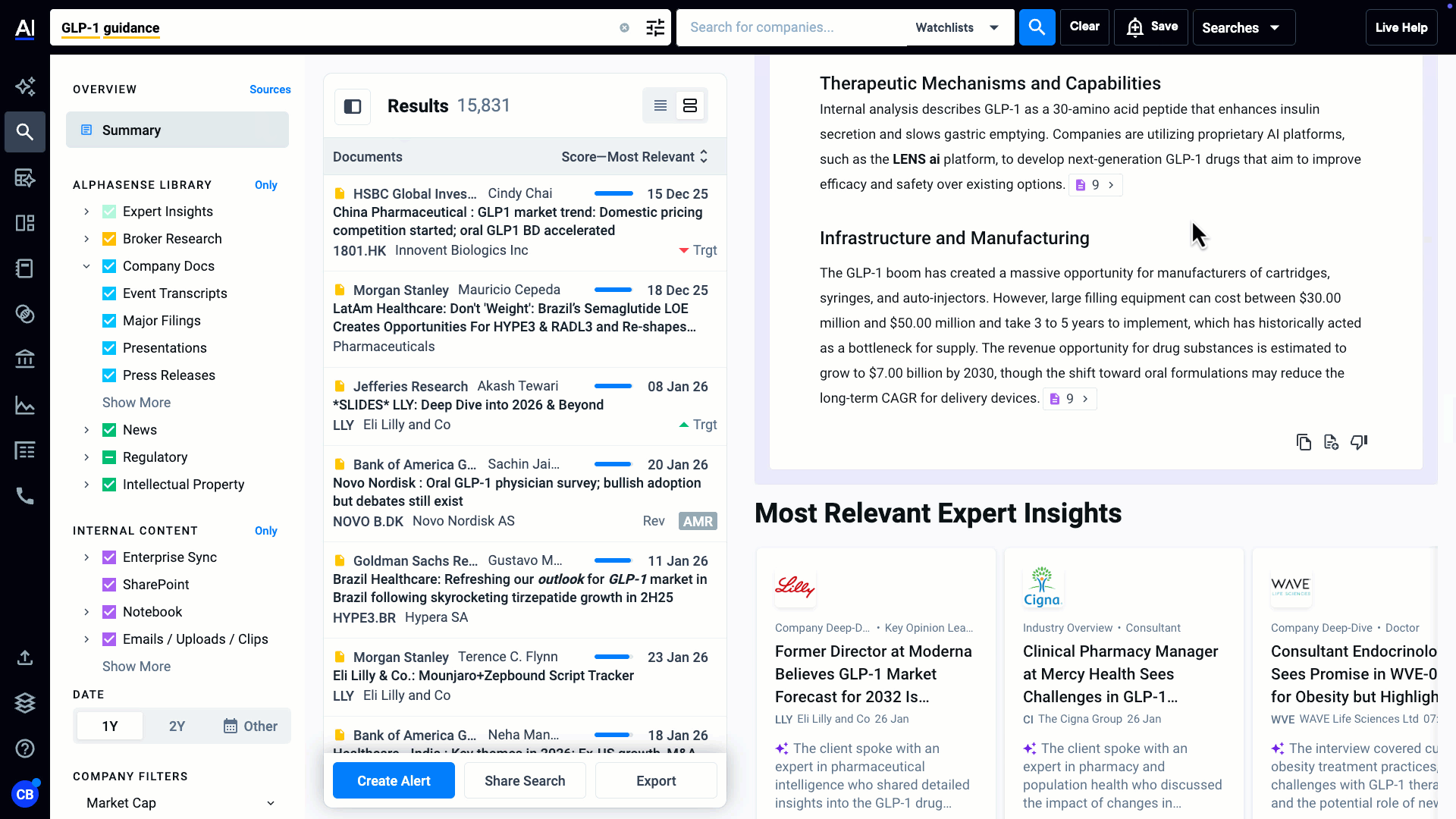
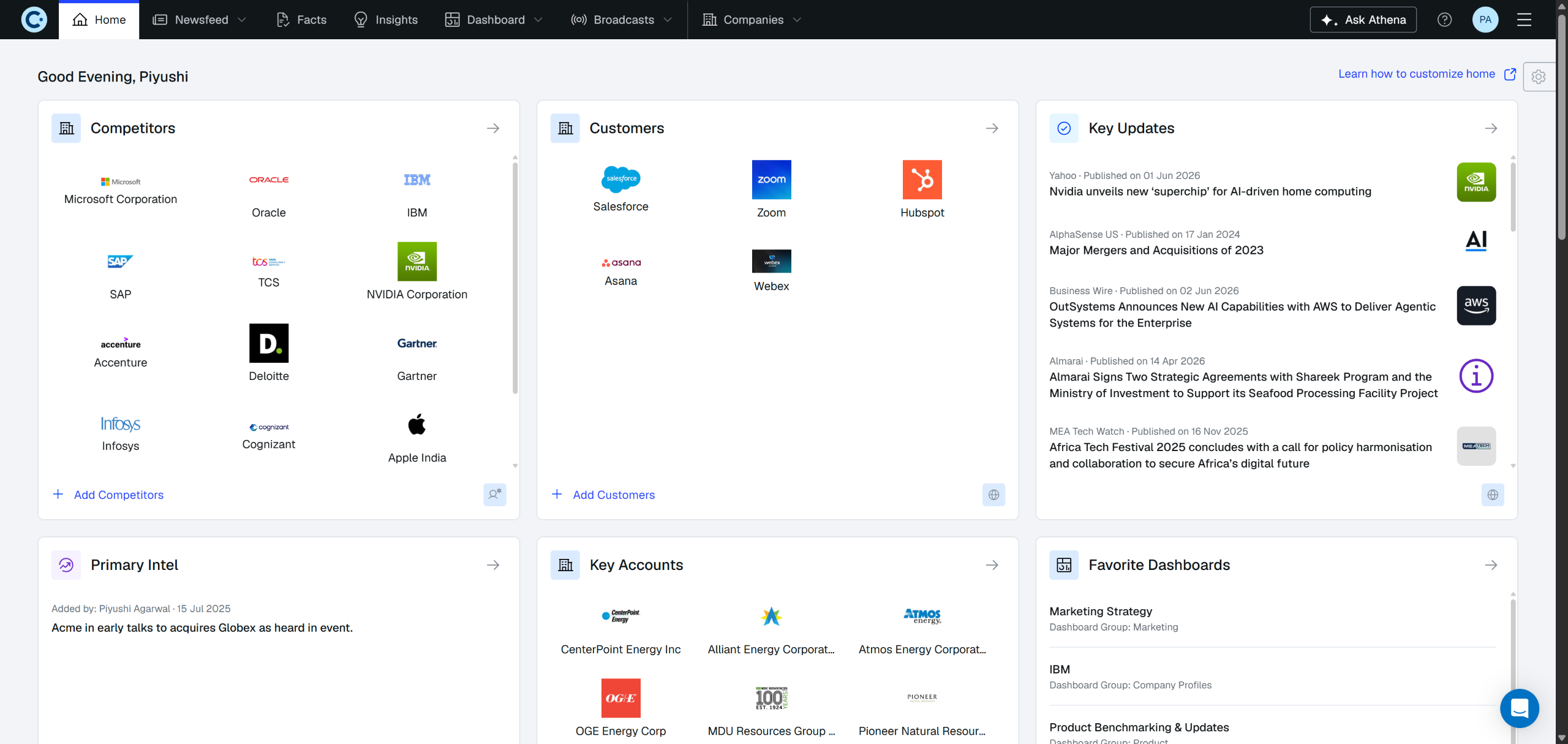
AlphaSense is an AI-powered market intelligence platform for deep research. Its platform page describes generative search, financial data, and search across internal documents, alongside a research library. Ask for the specific sources and permissions your team’s questions require.
AlphaSense also advertises monitoring dashboards, regular alerts, and scheduled workflow agents. Its research orientation does not mean it lacks competitor monitoring; evaluate the output against your team’s actual use case.
Pricing
Request a quote for the content, users, and capabilities you need. No current price was verified in this refresh. The earlier contract estimates cannot be treated as per-user list prices.
Best For
Strategy teams at large enterprises doing deep market and financial intelligence — especially in regulated industries (financial services, pharmaceuticals, industrials).
Verdict
Shortlist AlphaSense when the decision requires research across financial, market, and internal information. For sales battle cards or a few pricing pages, ask it to demonstrate that narrower workflow before paying for broader research capabilities. Advertised document search and monitoring do not establish a fit for every sales team.
5. Contify — Market Monitoring and Analyst Support
What Contify Does
Contify is an AI-powered market and competitive intelligence platform specializing in news monitoring. It tracks company updates, regulatory changes, and industry developments across thousands of sources, then delivers curated intelligence feeds organized by custom taxonomies (industry, competitor, topic).
Contify’s news-centric monitoring is relevant when your scope includes industry developments as well as named rivals. Its current offering also advertises analyst support for custom reporting, dashboards, and battlecard creation; it is not limited to news aggregation.
Pricing
Request a quote covering your monitoring scope and required analyst support. The earlier $30,000 annual estimate is not a verified current price.
Best For
Teams whose CI needs lean more toward market intelligence and industry monitoring than head-to-head competitor tracking and sales enablement.
Verdict
Contify is worth shortlisting for news-centric CI workflows, including industry trend tracking and broad market intelligence. If sales enablement is the priority, ask it to demonstrate battlecard maintenance and delivery before comparing it with Klue or Kompyte. Its advertised analyst support may matter to a team without enough curation capacity, but the trial must establish what work remains with you.
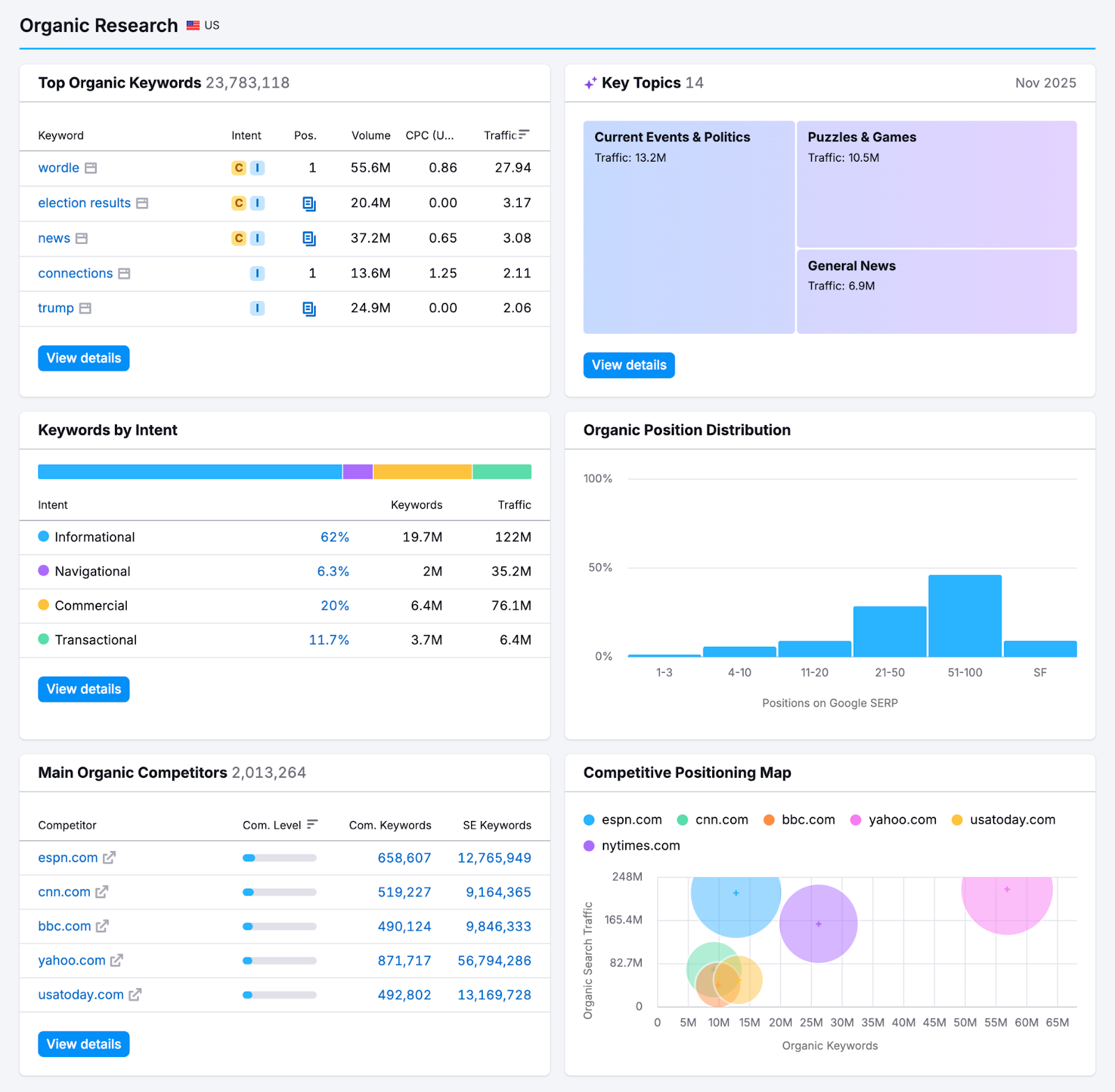
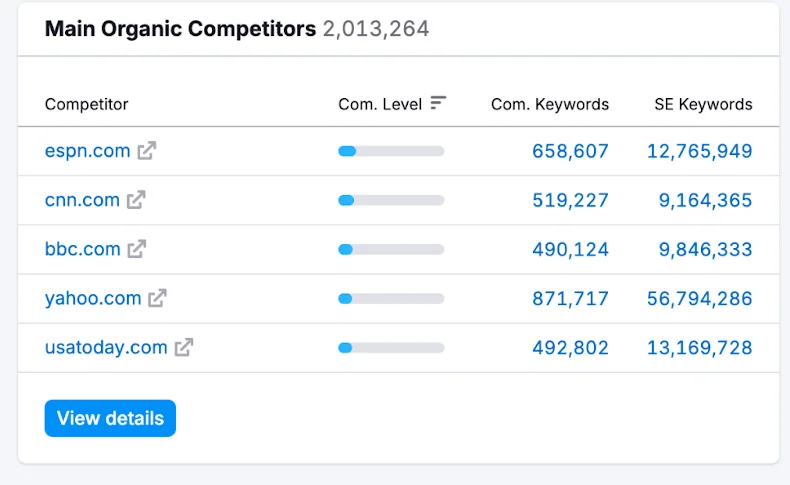
Full-size competitor table
6. Semrush — Digital Competitive Analysis
What Semrush Does
Semrush is a digital marketing toolkit for competitive analysis. It covers competitor keyword analysis, backlink profiles, content gap analysis, advertising intelligence (display + search), social media tracking, and market positioning. Those capabilities focus on digital channels rather than a complete seller-guidance workflow.
The platform also owns Kompyte (#3 on this list), so Semrush users can bridge the gap between digital marketing intelligence and dedicated CI workflows.
Pricing
Check the current Semrush packages for your region and required toolkit. The September 7 page presents SEO, Starter, Pro+, and Advanced packages with separate monthly and annual billing; our read rendered euro prices. The former Pro/Guru/Business dollar table is not a verified current quote. Confirm digital competitive data, API access, and extra-user charges for the package you need.
Best For
Marketing teams doing digital competitive analysis — SEO, content strategy, PPC intelligence, and social media monitoring.
Verdict
Semrush belongs on a shortlist when the buying job is digital marketing intelligence. It can supply inputs for a dedicated CI workflow or a competitive matrix for your marketing team. If you already have Ahrefs, compare the specific data and exports you lack before buying overlapping functionality. Do not assume a marketing-data subscription also supplies the seller-guidance workflow you need.
7. Similarweb — Traffic & Market Share Analysis
What Similarweb Does
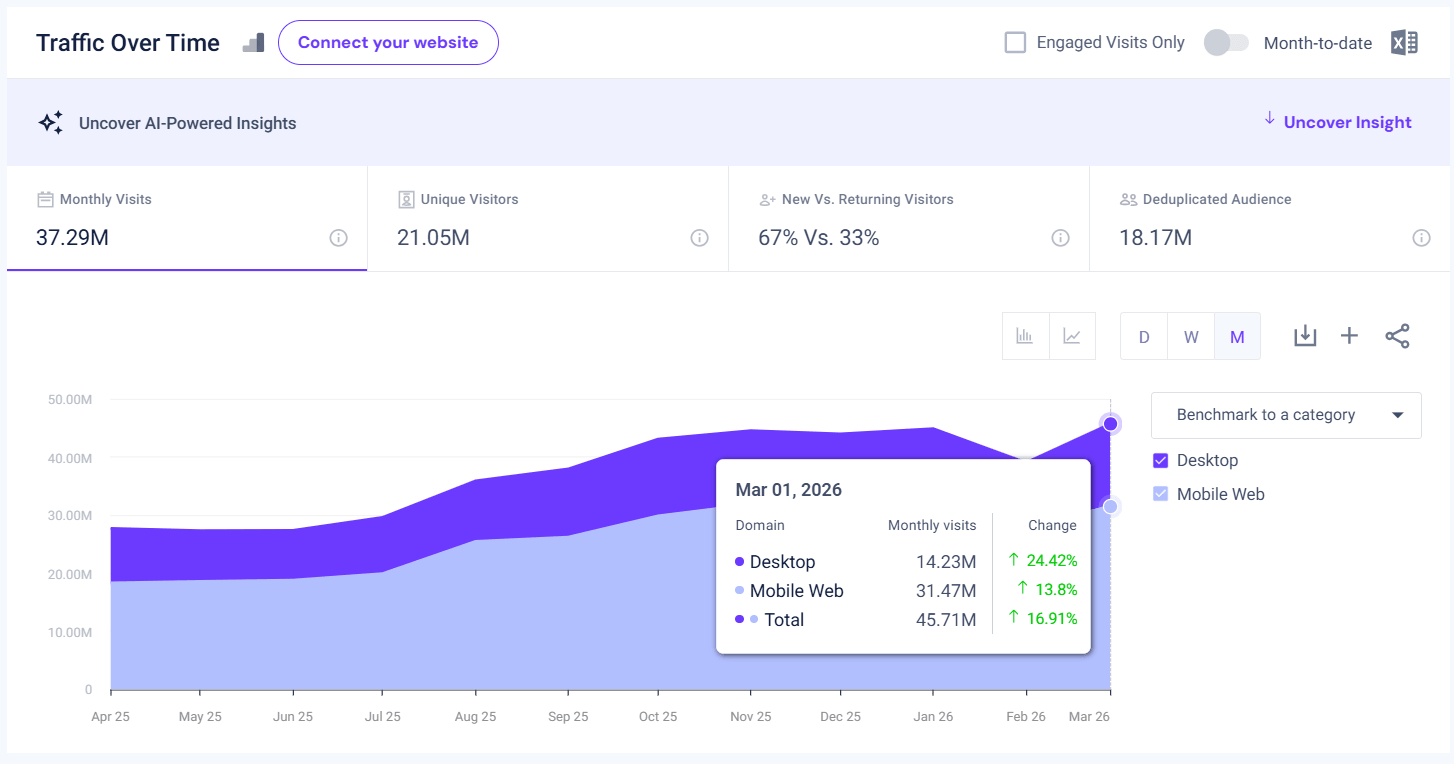
Similarweb is a digital intelligence platform for estimating competitor website traffic, audience overlap, referral sources, and digital market share. It answers questions like “How much traffic does our competitor get?”, “Where does their traffic come from?”, and “How do we compare on digital market share?”
Pricing
Similarweb offers self-service and custom business packages. The September 7 extraction exposed business suites and custom-package options, but did not render a reliable current self-service price table. Confirm the country coverage, historical period, users, and API access before comparing a quote; do not treat the earlier price ranges as current list prices.
Best For
Product marketing and strategy teams benchmarking digital performance against competitors and tracking market share trends.
Verdict
Similarweb is a candidate for understanding competitor web traffic and digital market share. Treat estimates as directional benchmarks rather than exact measurements of a rival’s analytics account. It can complement a CI workflow when the question is “how big are our competitors online?” For seller guidance, check how those estimates will reach the people making decisions instead of assuming data access is a complete enablement process.
8. Visualping — Website Change Monitoring
What Visualping Does
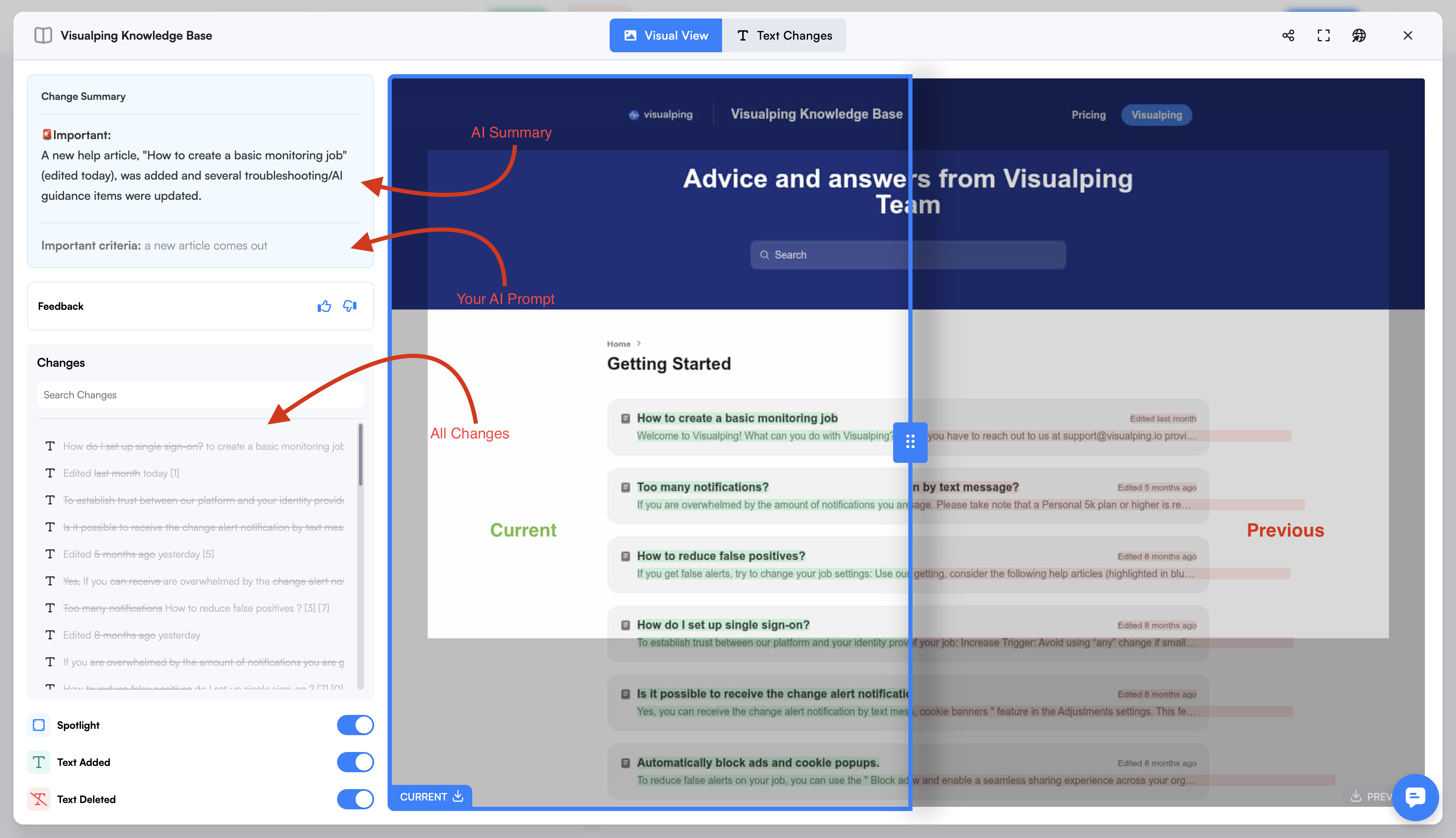
Visualping monitors selected webpages and alerts you to detected changes. Track accessible competitor pricing pages, feature pages, job boards, landing pages, or executive bios using visual comparisons. Confirm that your chosen pages can be collected reliably; no monitoring service should be assumed to cover every page.
Visualping automates the checking step for configured pages. Your team still chooses the scope, verifies significant changes, and decides who should act on them.
Pricing
Published pricing, September 7, 2026: Free includes five pages and 150 monthly checks. Personal 1K is $14/month or $120/year. Business 20K is $140/month or $1,200/year, with 200 pages and five users. Monthly and annual prices are different billing commitments.
Best For
Teams that need recurring checks of competitor pricing, messaging, features, or job postings, with a named owner to review alerts.
Verdict
Visualping is a focused option for tracking competitor pricing pages and other public page changes. It is a monitoring layer within a larger intelligence workflow. The current plans include AI change summaries and an importance flag, correcting the earlier description of visual diffs without analysis. Treat those summaries as a first pass to verify against the capture; they do not establish why a competitor made a change.
9. RivalSense — Weekly Competitor Digests
What RivalSense Does
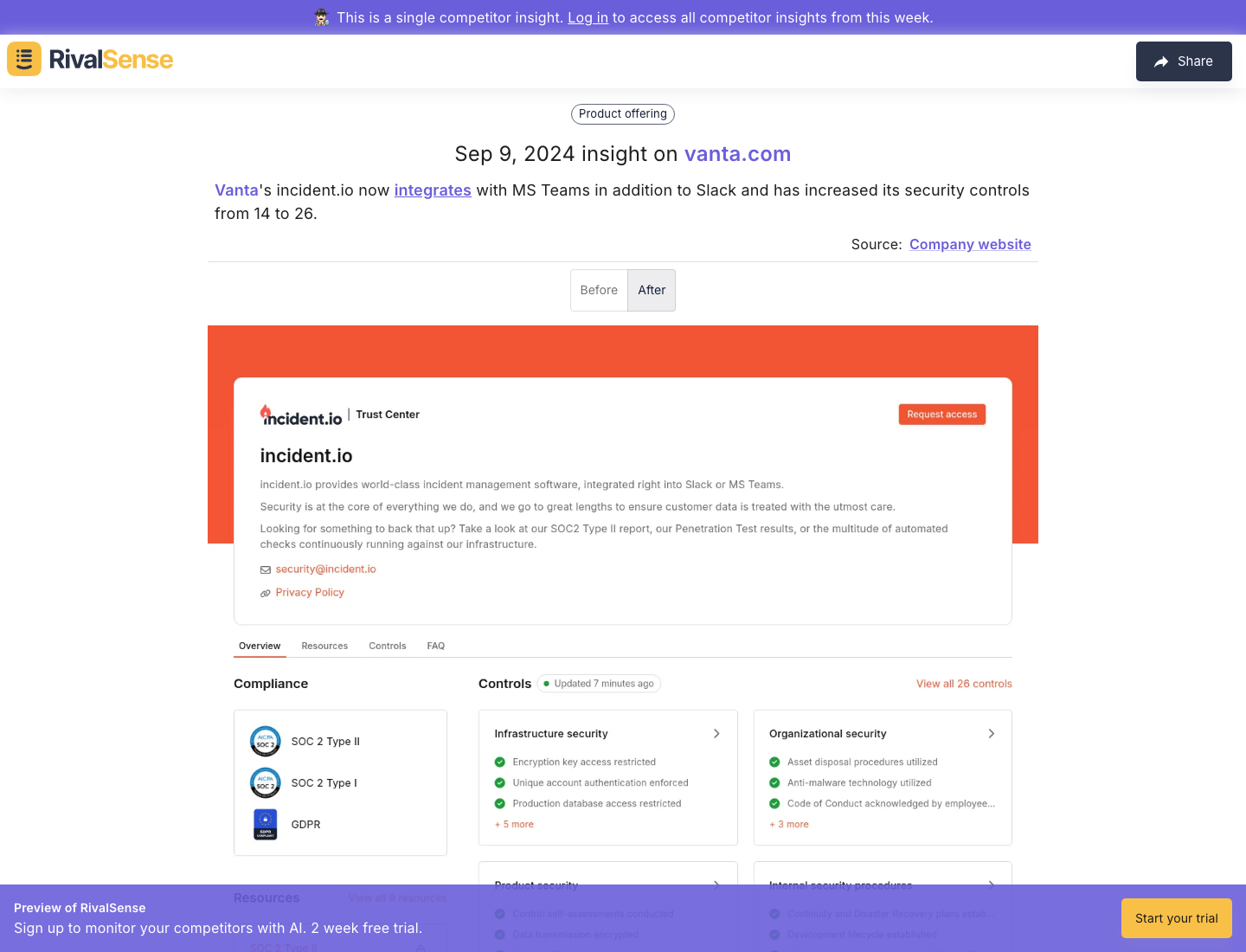
RivalSense offers automated competitor tracking and AI-generated summaries delivered as a digest. Its website describes weekly email or Slack updates, selectable monitoring topics, and feedback on relevance.
The digest format may suit a team that wants a regular briefing rather than another dashboard. Its current price and coverage still need verification.
Pricing
The RivalSense website offers a trial and describes weekly email or Slack updates. Its pricing controls did not expose a reliable numeric plan table in our September 7 extraction. Verify the current number of tracked companies, billing period, and delivery options directly before budgeting; the former $44.99/$111/$222.99 figures are not verified current prices.
Best For
Teams that want a weekly competitor briefing and can evaluate its relevance against their actual monitoring needs.
Verdict
RivalSense’s weekly digest format is worth examining if your team wants curated updates instead of another dashboard. Review a sample against the original sources and your actual competitors, and verify integration requirements during the trial. We could not substantiate the earlier 1.9/5 Trustpilot claim against a current, identity-verified review profile; it should not drive a buying decision.
10. Feedly — Curated Intelligence Feeds
What Feedly Does
Feedly offers content aggregation and team intelligence products. Its Market Intelligence plans include AI feeds, company and trend insights cards, newsletter templates, and team collaboration. Choose the product and permitted sources before assuming a personal reader includes the same features.
Feedly can supply the intake and briefing parts of a CI process. Its team offering goes beyond link aggregation, so evaluate the selected package rather than applying personal-reader assumptions to the whole product range.
Pricing
Feedly has personal-reader and team intelligence offerings. Market Intelligence pricing checked September 7, 2026: Standard $1,600/month billed annually, up to 10 seats; Advanced $2,400/month billed annually, up to 25 seats, with API access and SSO. Personal-reader prices were not freshly verified; do not assume they include team intelligence features.
Best For
Practitioners organizing their reading, or teams building shared intelligence feeds and briefings; those are separate purchasing configurations.
Verdict
Feedly is worth considering for the collection phase of CI: competitor publishing, industry commentary, and breaking news. Test the feeds against the sources you already follow and measure the review time left after filtering. For team use, its published Market Intelligence price belongs in your budget; the old $13 reader figure does not establish that configuration’s cost or feature set.
11. Owler — Company Intelligence
Checks for Owler company data
- Revenue or employee estimate
- Retain the estimate label and observation date. Look for a dated company disclosure before using it as a fact.
- Funding or acquisition news
- Open the original announcement. Check the event date and the company involved.
- Suggested competitor
- Compare customers and products. A relationship in a database does not establish a head-to-head competitor.
- No supporting source?
- Keep it as a lead to investigate. Do not turn the field into a verified board-slide number.
Unkover verification guidance for the fields and news described by Owler, not a validation of its data or a replica of its interface. No company values, paid-access claims, or current-UI claim are presented. Current prices and account access remain unverified.
What Owler Does
Owler provides community-powered company profiles, funding data, news alerts, and competitive relationship graphs. Enter a competitor’s name and get a quick snapshot: estimated revenue, employee count, recent funding, news mentions, and a list of related competitors.
Pricing
Current pricing, access limits, and package availability were not verified: the source could not be read successfully. Check those terms directly before including Owler in a budget; this refresh does not certify a free tier, API package, or company-following quota.
Best For
Individual reps and founders investigating company-level context, subject to verification of current access and data coverage.
Verdict
Company profiles can provide quick competitive context. Treat revenue and employee figures as estimates to investigate, not verified inputs for a board presentation. This profile is retained as a research candidate, not a freshly tested recommendation: confirm current access and the provenance of the fields you need before relying on it.
Full-size ad detail
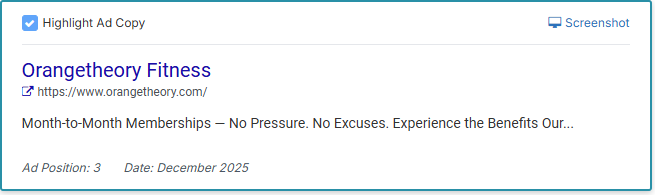
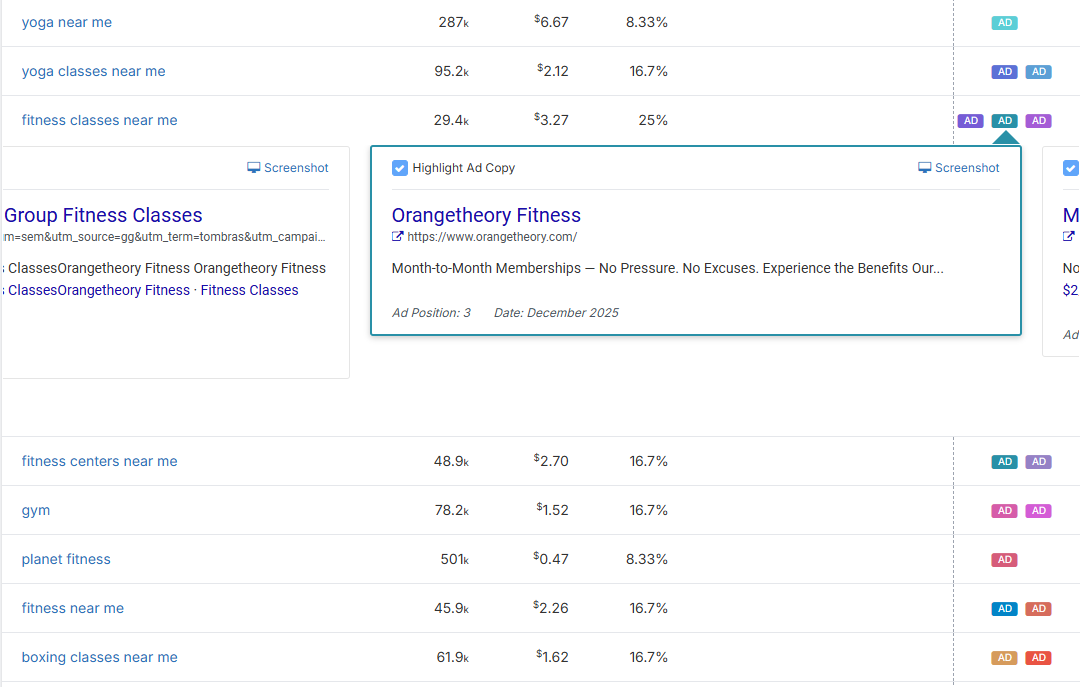
The detail retains the ad title, vendor URL, selected control, and December 2025 date. Open the full image for the surrounding keyword rows.
12. SpyFu — Search Intelligence with Published Entry Pricing
What SpyFu Does
SpyFu focuses on competitive search intelligence: keyword rankings, estimated paid-search activity, and historical ad copy. Its data helps investigate competitors’ search strategy; it does not reveal their complete keyword set or exact advertising account spend.
Pricing
Published pricing, September 7, 2026: Basic $39/month or $29/month billed annually; Pro + AI $119/month after the displayed first-month promotion, or $89/month billed annually; Team/Agency $249/month or $187/month billed annually. Confirm the ongoing rate rather than budgeting from the introductory offer.
Best For
Marketing teams on tight budgets who need competitive SEO and PPC intelligence without paying for Semrush’s full suite.
Verdict
SpyFu is a candidate when your primary question is “what are competitors doing in search?” Basic is the $39 monthly search-intelligence tier. The current pricing table lists no RivalFlow sites on Basic and one on Pro + AI; do not assume that feature is included at the entry price. If you already have Semrush, check the overlap before adding another subscription. Search data alone will not deliver your sales-enablement workflow.
13. G2 — Competitive Review Intelligence
How to read G2 review labels
- Validated Reviewer
- The reviewer authenticated their identity under G2’s standards.
- Current User
- The reviewer supplied a screenshot of product use.
- Incentivized / Source
- Check whether an incentive was offered and how G2 collected the review.
- Rating Update
- Check when the reviewer last changed the review.
- Your next check
- Does the reported issue still apply? Corroborate it before adding a claim to seller guidance.
Label definitions: G2 Community Guidelines, checked September 14, 2026. The corroboration check is Unkover’s recommendation. No review, rating, badge artwork, Grid, or interface is reproduced. Labels provide context; they do not make a review a representative product test.
What G2 Does
G2 is a B2B software review platform that can supply customer-reported evidence for competitive research. Look for dated descriptions of onboarding, support, and missing functionality in accessible competitor reviews. Review and report access can differ; this refresh did not verify full access to every profile or Grid report.
Reviews can surface objections worth checking in buyer interviews. An individual review is not a representative sample, and a complaint about an older version may no longer apply. Keep the date and original link with any finding you consider for a battlecard.
Pricing
Publicly accessible reviews can support research, but access to all comparisons, reports, and vendor features was not verified. No current vendor-plan price is certified here. Product ratings and review counts are omitted because a fresh primary readback was unavailable.
Best For
Product marketing teams mining competitor reviews for battlecard content, objection handlers, and competitive intelligence examples.
Verdict
G2 is a research source rather than a complete CI workflow. Combine relevant reviews with other evidence when building sales battle cards, and verify that the issue still applies. Review mining can help you form better questions; it does not prove how often an objection occurs or how much revenue it will generate.
14. Google Alerts — Free Discovery Alerts
What Google Alerts Does
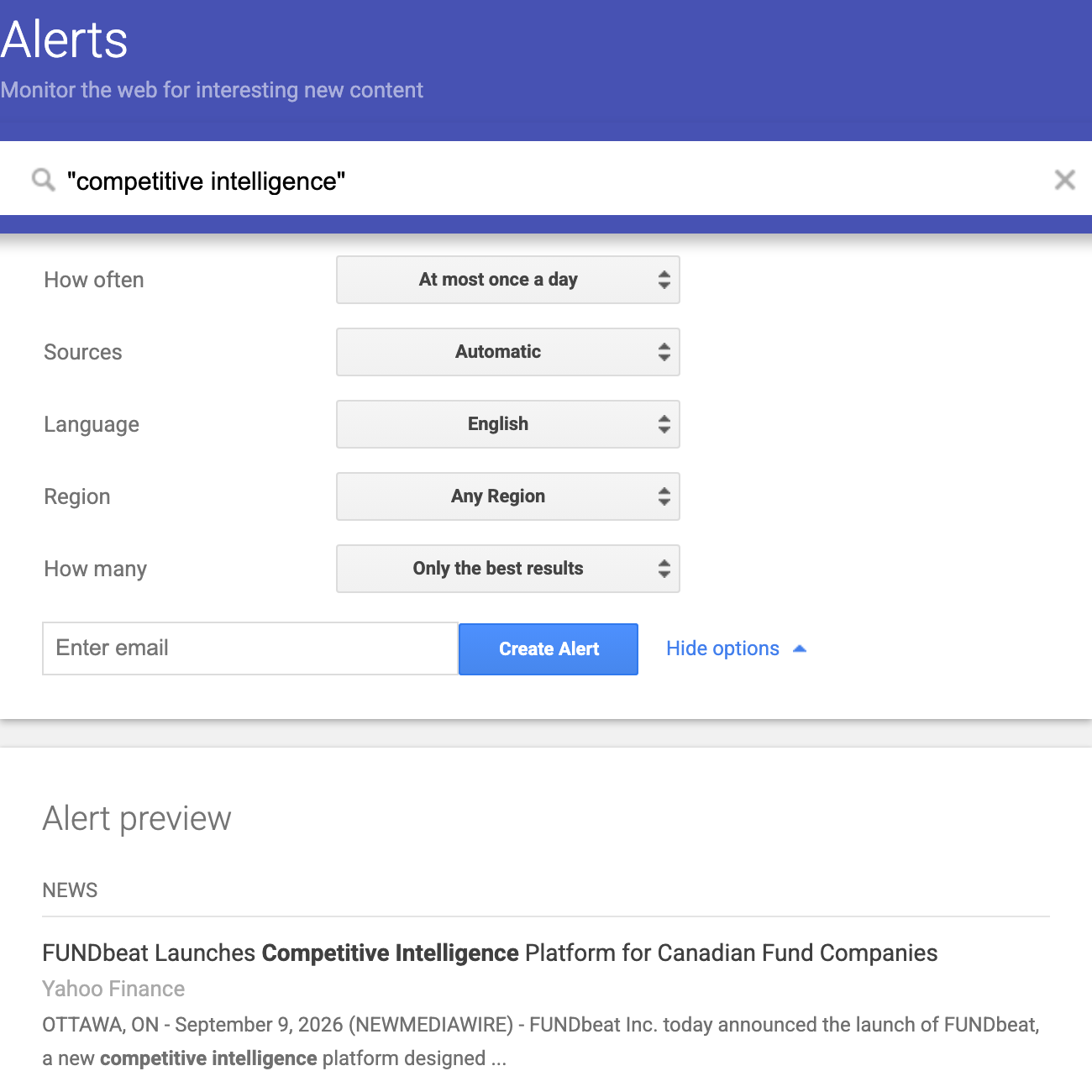
Google Alerts sends email notifications about new matching Google Search results. Set up alerts for competitor brand names, executive names, product names, and industry terms. Google’s instructions describe frequency, source, language, region, and result-quantity settings; this is not exhaustive web monitoring.
Pricing
Free. No unlimited-alert guarantee is established by the documentation used here.
Best For
Teams that want a no-subscription-cost discovery baseline alongside manual checking of important sources.
Verdict
Google Alerts is a starting point, not a strategy. Check the alerts against a small manual sample of important competitor sources and tune queries when results are noisy. No generic relevance or missed-news percentage is established by this refresh. Pair discovery alerts with direct checks of critical pages rather than assuming a lack of email means nothing changed.
15. Wappalyzer — Public Website Technology Detection
Checks for Wappalyzer technology evidence
- Inputs from the visited page
- HTML, scripts, cookies, network requests, and certificates can carry technology fingerprints.
- A technology is detected
- Use the result as evidence of a public signal on that page. Keep the URL and observation date.
- What it does not establish
- The complete private stack, a purchase decision, or the completion of a company-wide migration.
- No detection?
- Do not infer absence. Public signals can be hidden or changed; check another permitted source.
Detection method: Wappalyzer extension FAQ. The interpretation checks are Unkover editorial guidance, not a populated lookup or a claim about any company’s technology stack. No live site was tested.
What Wappalyzer Does
Wappalyzer detects technologies visible on a website, including CMS, analytics tools, frameworks, and some payment or marketing integrations. Its browser extension provides a quick technical fingerprint. It cannot reveal an entire private backend stack from a public page.
For CI practitioners, detected technology changes are clues to investigate. A changed script or CMS fingerprint may suggest an operational shift, but it does not establish the competitor’s intent or prove that a private migration is complete.
Pricing
Free: browser extension for individual lookups. Paid plans available for bulk lookups, lead generation, and API access.
Best For
Product and engineering teams doing technical competitive intelligence — understanding what tools competitors use and when their tech stack changes.
Verdict
Wappalyzer adds a technical input to competitive research. Its extension can help you inspect technologies detectable on a public site, while paid plans cover additional lookup and integration needs. It does not replace a pricing-page monitor or a battlecard workflow. Use it when website technology is relevant to the question, and verify important findings against another source.
Which competitive intelligence tools fit your workflow and budget?
The right CI tools depend on your budget and team size. These are candidate configurations, not verified package deals. Price each required component and the owner’s time before buying; do not infer a complete stack’s cost from one entry-level subscription.
The No-Subscription Starting Point (Individual / Startup)
Tools: Google Alerts + accessible G2 reviews + Wappalyzer extension + manual tracking in a spreadsheet. Add Owler only after checking current access.
What you get: Discovery alerts, customer-review clues, public website technology signals, and a manually maintained record. Your time remains a cost even when access does not require a subscription.
What you miss: Centrally maintained battlecards and a coordinated sales-enablement workflow. Google Alerts still supplies automated email alerts; the gap is in curation and handoff, not the absence of all automation.
Best for: Solo founders, early-stage startups, and individual practitioners building a case for CI investment. Read our complete guide to competitive intelligence for a framework on competitive intelligence tools and techniques to maximize free options.
Collection Plus Search (Growing Team)
Tools: Visualping (website monitoring) + a separately selected Feedly reader or team product (news curation) + SpyFu (search intelligence) + accessible G2 reviews.
What you get: Page-change checks, curated feeds, competitive search data, and review research, subject to each plan’s limits. Feedly Market Intelligence’s annual team commitment is not included in a personal-reader budget.
What you must assemble: A common evidence record, approval process, and delivery workflow. Some integrations are available by plan; do not assume that either every integration is included or none is possible.
Best for: Growing marketing and product teams (5–20 people) with a CI champion but no dedicated CI role.
Dedicated CI Plus Digital Data (Mid-Market)
Tools: A configured Kompyte proposal + the Semrush or Similarweb data your workflow needs. RivalSense is a separate digest candidate, not an assumed substitute for Kompyte’s battlecard workflow.
What to demonstrate: Battlecard maintenance, monitored sources, relevant digital data, and delivery to the people who consume it. Obtain separate quotes and check overlap rather than treating the combination as a fixed-price bundle.
What to verify separately: Required history, analyst support, financial research, and any additional delivery or permission requirements.
Best for: SaaS teams with product marketing owning a recurring competitive-enablement process and enough usage to justify the configured commitment.
Multi-Function CI Program (Enterprise)
Tools: Klue or Crayon (CI platform), with Semrush, Similarweb, or AlphaSense only where a distinct digital or research requirement justifies the additional purchase.
What to demonstrate: Collection, approved seller guidance, win/loss inputs, and any required deep research working together. Multiple subscriptions do not automatically create a coherent CI program.
Best for: Companies with 100+ employees, dedicated CI or product marketing functions, and executive-level demand for competitive intelligence. Build your CI report cadence around the platform’s automated outputs.
Define the handoff before adding tools. Use our competitive intelligence report guide to decide what each audience needs to receive.
When is a free or DIY setup enough?
A free or DIY setup is worth considering when the scope is narrow, one person owns review, and a manual handoff is acceptable. Move toward a shared platform when maintaining evidence, permissions, and distribution exceeds that capacity. Team size alone does not establish the answer; test the required workflow and total cost.
Treat these as components to evaluate, not a claim that an AI subscription provides a complete working system:
Automated page monitoring. A DIY workflow needs a collector that can retrieve your permitted sources, dated captures for comparison, a scheduler, and a delivery step. Verify each capability and its failure handling in the actual tools and account you will use. A general AI subscription alone is not evidence that unattended browser collection works reliably.
Competitor newsletter intelligence. Set up a dedicated inbox for relevant competitor newsletters, product updates, and press releases. With an approved integration, evaluate whether an AI assistant can produce a useful weekly brief with links to the original messages. Check omissions, permissions, and review time. This does not establish an advantage over Feedly or Contify, which also advertise analysis and briefing capabilities.
On-demand competitive analysis. Use a permitted earnings transcript, product launch post, or job listing as a test input for a structured brief. Require source passages for factual claims and mark positioning shifts or investment priorities as interpretations. A plausible synthesis is not evidence that those interpretations are correct.
Budget for the model or subscription, collection and scheduling, storage, integrations, and the owner’s review time. Verify billing and deployment terms for the actual services used; a subscription price alone is not the system’s total cost.
The catch: You’re responsible for the assembled system: failures, evidence retention, access controls, and handoff. Templates, integrations, dashboards, and support may be available or need building; inspect your actual configuration. Compare a working sample with a platform trial before claiming equivalent coverage or savings. No percentage-of-intelligence or cost advantage was measured for this guide.
Key Takeaways
- Shortlist Klue for combined CI and seller guidance. Test its advertised Compete Agent and win/loss workflow on your own questions before deciding whether the quote is justified.
- Kompyte has clear public packaging, with quote-based pricing. Compare the consuming-user definition and plan limits against your actual workflow before assuming a cost advantage.
- Trial RivalSense on your own competitors. Inspect the weekly digest’s original sources and relevance, and obtain current plan terms. The earlier review-rating warning was not substantiated in this refresh.
- Separate personal collection tools from team intelligence plans. Visualping and Feedly address collection needs, but package limits and team features change the bill. Price the configuration you will actually use.
- Use G2 reviews as leads to investigate. Preserve dates and source links, and corroborate important objections before using them in seller guidance.
- Price the whole DIY workflow. Collection, scheduling, permissions, maintenance, and human review matter alongside model usage. No assumed feature parity or savings percentage should replace a trial.
- Tools don’t replace process. The best competitive intelligence tool is the one your team actually uses. Start with the four types of competitors you need to track, build a cadence, then choose tools that support your workflow — not the other way around.
Choose competitive intelligence tools around a repeatable output and a named owner, then expand only where the evidence shows a gap.
Read next: Competitive Intelligence: What It Is & How to Do It (2026)
Frequently Asked Questions
What is the best free competitive intelligence tool?
There is no single winner across buying jobs. Google Alerts provides discovery alerts, accessible G2 reviews supply customer-reported clues, and Wappalyzer’s extension helps inspect public website technologies. Combine relevant inputs with a manual evidence record. Check current access limits, particularly for Owler, before assuming the entire setup is free.
How much does competitive intelligence software cost?
Costs depend on the job and package. Google Alerts provides a free collection starting point; Visualping and SpyFu publish self-service prices. Dedicated platforms such as Kompyte and Crayon require a configuration-specific quote. Compare billing term, consuming users, tracked competitors, history, and integrations rather than treating estimates as list prices.
Do I need a dedicated CI platform or can I build a DIY stack?
Evaluate a dedicated platform when recurring briefings, approvals, and distribution exceed the team’s capacity. Compare its complete quote with the cost of maintaining a DIY workflow and the usage observed in your trial. Neither a headcount threshold nor an old self-reported battlecard statistic proves platform payback.
What’s the difference between CI tools and market intelligence tools?
CI tools often focus on named competitors and seller guidance, while market intelligence tools often support broader industry and research questions. The categories overlap: Contify advertises battlecard support, and AlphaSense advertises competitor monitoring. Compare the required output rather than treating category labels as feature exclusions. For context, see our competitive intelligence guide.
How do I choose the right CI tool for my team?
Start with three questions: (1) What’s your budget? Include the contract commitment and review time. (2) What’s your primary use case? Choose candidates that can demonstrate the required output. (3) Who will consume it? Count readers and integration recipients, not just editors. Then use the proposed two-week trial to inspect evidence, handoff, and the work left for your team.
Documentation checked September 7-9, 2026. Public plan checks cover Kompyte, Visualping, SpyFu, and Feedly Market Intelligence; other profiles state pricing and access gaps. No enterprise quotes, product benchmark, or current G2 rating validation was obtained. Unkover is a media publication, not a CI software vendor. Some links may be affiliate links.

One response to “15 Competitive Intelligence Tools: What You’re Paying For”
This was an amazing read! Your insights on this topic are very valuable and have given me a lot to think about. I appreciate the time and effort you put into researching and writing this post. Thank you for sharing your knowledge with us.