
A competitor changes its pricing, adds a feature, or rewrites its homepage. You need to catch the change and decide who should act on it, without sorting through alerts about rotating testimonials.
Choosing competitor monitoring tools starts with the pages and decisions that matter to your team. This guide helps lean SaaS teams compare tools for pricing, features, changelogs, and positioning, filter routine noise, and turn relevant alerts into useful follow-up.
This is a documentation-based comparison, checked September 21, 2026, of Visualping, Distill, changedetection.io, and ChangeTower. We haven’t run a comparative product test. The watchlist, calculations, and troubleshooting example below are illustrative, not observed customer results.
TL;DR: Track the page changes that could affect a product, pricing, or sales decision. Choose a tool whose selectors, check budget, and delivery options fit your actual watchlist. Filter routine changes, give relevant alerts an owner, and check source health when the inbox goes quiet.
What should competitor monitoring tools track for a lean SaaS team?
Start with known public pages where a change could affect a decision: pricing, features, changelogs, and positioning. Select the relevant content rather than treating the entire website as one signal. This gives you a bounded monitoring job, with a named recipient and a reason to inspect each alert.
Decide which competitors to track from your actual market exposure, then choose the pages that answer your questions. A few pricing pages may be enough; a team following feature launches and messaging changes will need a different watchlist.
The four page types do different jobs. Pricing needs billing context. A feature list needs additions and removals. A changelog needs new entries, not another alert when old entries move. A homepage needs the positioning statement, not a rotating testimonial.
Use competitor website analysis to identify those regions. Leave unrelated sections out unless you can name a decision they inform.
Page monitoring doesn’t explain why a competitor changed direction, estimate its search traffic, or collect every mention of its brand. It supplies dated evidence to your competitive intelligence process. Keep that boundary clear when you compare the tools below.
Which competitor monitoring tools fit your watchlist?
Choose Visualping for visual or text comparisons with explicit page and check budgets; Distill for condition-level control; changedetection.io for configurable hosted monitoring where you can validate runner capacity; and ChangeTower for page-based plans with tiered selectors. These are conditional shortlist recommendations, not measured rankings of accuracy or speed.
| Candidate | Start here when you need… | Verify before choosing |
|---|---|---|
| Visualping | Visual, text, or element comparisons | Both page capacity and monthly checks |
| Distill | Explicit rules for which changes trigger alerts | Cloud runtime units and separate alert allowance |
| changedetection.io | Configurable filters and notification destinations | Runner throughput, retention, and team access |
| ChangeTower | A page-based allowance with defined cadence | Section versus element selection on your tier |
All dollar figures below are USD monthly list prices. We use monthly billing rather than annual equivalents and exclude negotiated quotes. Tax treatment depends on the vendor; ChangeTower says no tax is added to its listed price. A documented feature is not evidence of how reliably it will work on your particular page.
Visualping: check the page cap before the check budget
Visualping documents visual, text, and element detection, with AI summaries and importance flags across plans. Personal 5K costs $35/month for 20 pages and 5,000 checks; Personal 10K costs $70 for 40 pages and 10,000 checks. Default history is three months. Email and webhooks are available on Personal, but native Slack and Teams require Business, starting at $140/month. Visualping pricing.
The $14 Personal 1K plan allows 10 pages and 1,000 monthly checks; Free allows five pages and 150 checks. Either may fit a small watchlist at the right cadence. Check both limits against your needs. Our budget example below exceeds their page caps; unpriced page add-ons aren’t included.
Choose your comparison mode to match the question. A layout change and a changed sentence are different evidence, even if they arrive in the same inbox. Don’t treat an AI importance label as permission to skip the underlying before-and-after content.
Distill: useful control, with more than one usage counter
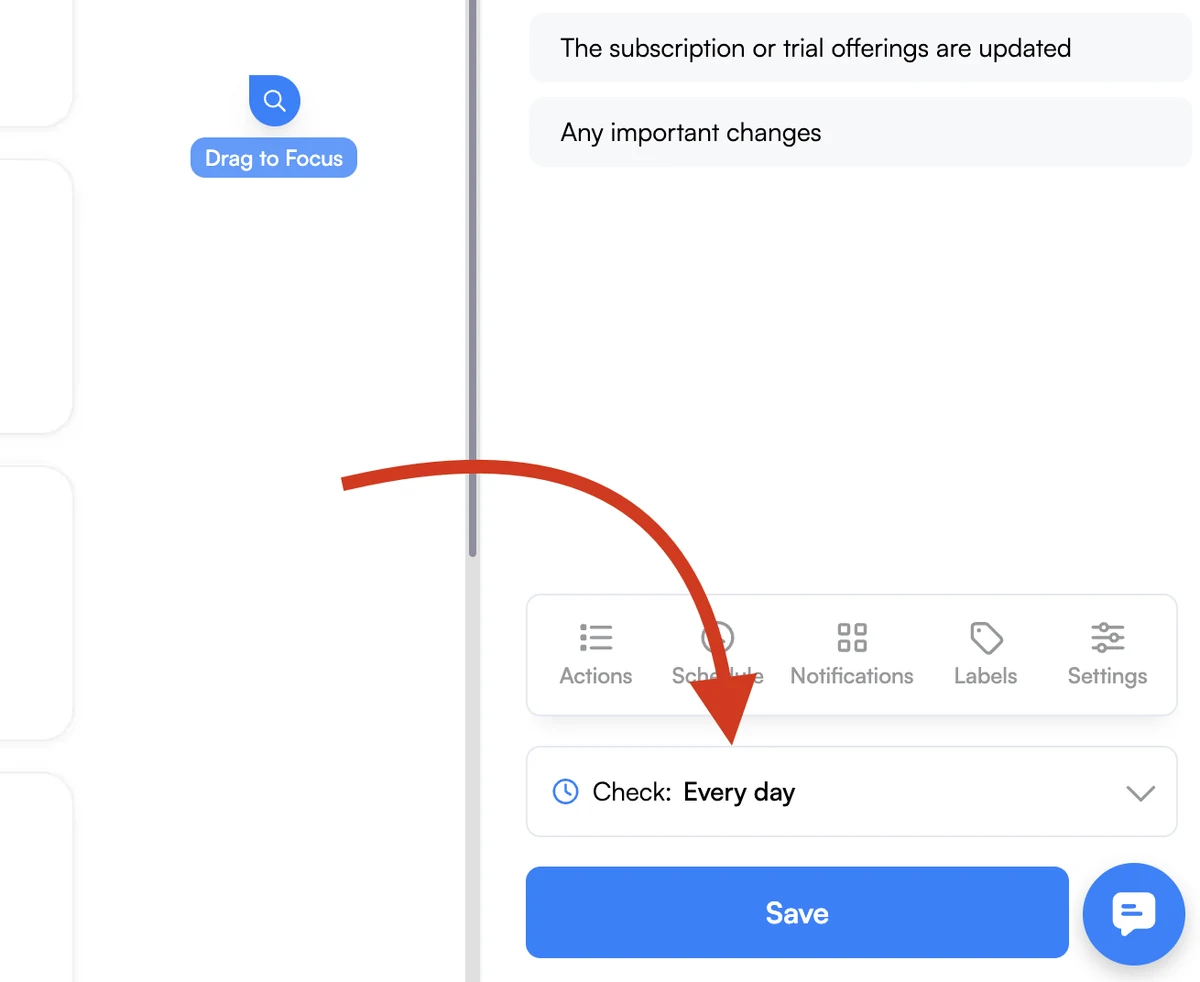
Distill Starter lists $15/month, 50 monitors, a 10-minute cloud minimum, 30,000 cloud checks, 2,000 webhook/email alerts, and 10 history versions. Cloud accounting uses ten-second units: a fetch taking more than ten but less than twenty seconds consumes two. Free allows 25 monitors, but only five in the cloud; unlimited local checks are a different execution arrangement. Distill pricing.
Distill’s conditions distinguish detected changes from notifications and expose their evaluation in a debugger. That’s useful when your requirement is “notify me about this kind of change,” not “email every difference.” Condition documentation.
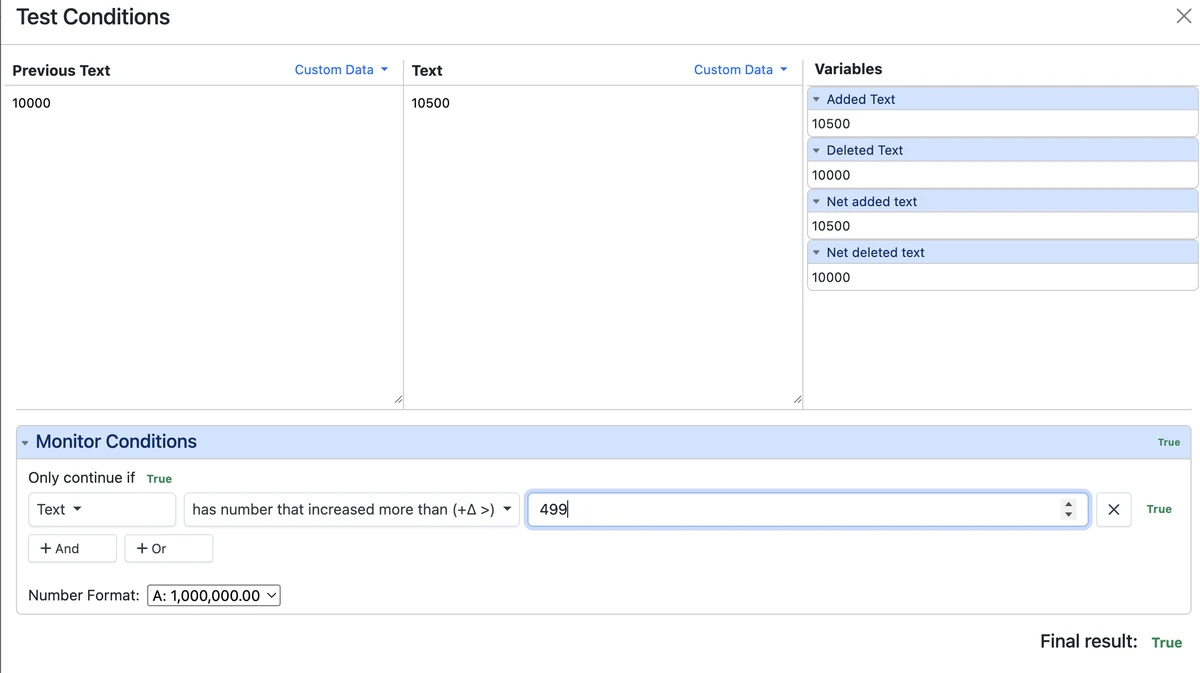
Someone needs to own and maintain those rules. A condition nobody can explain is difficult to troubleshoot, even when it works as configured. Also distinguish versions from days of history: a busy page can consume a version allowance quickly. Shared watchlists and centralized billing require a separate Enterprise discussion.
changedetection.io: validate the runner, not just the URL allowance
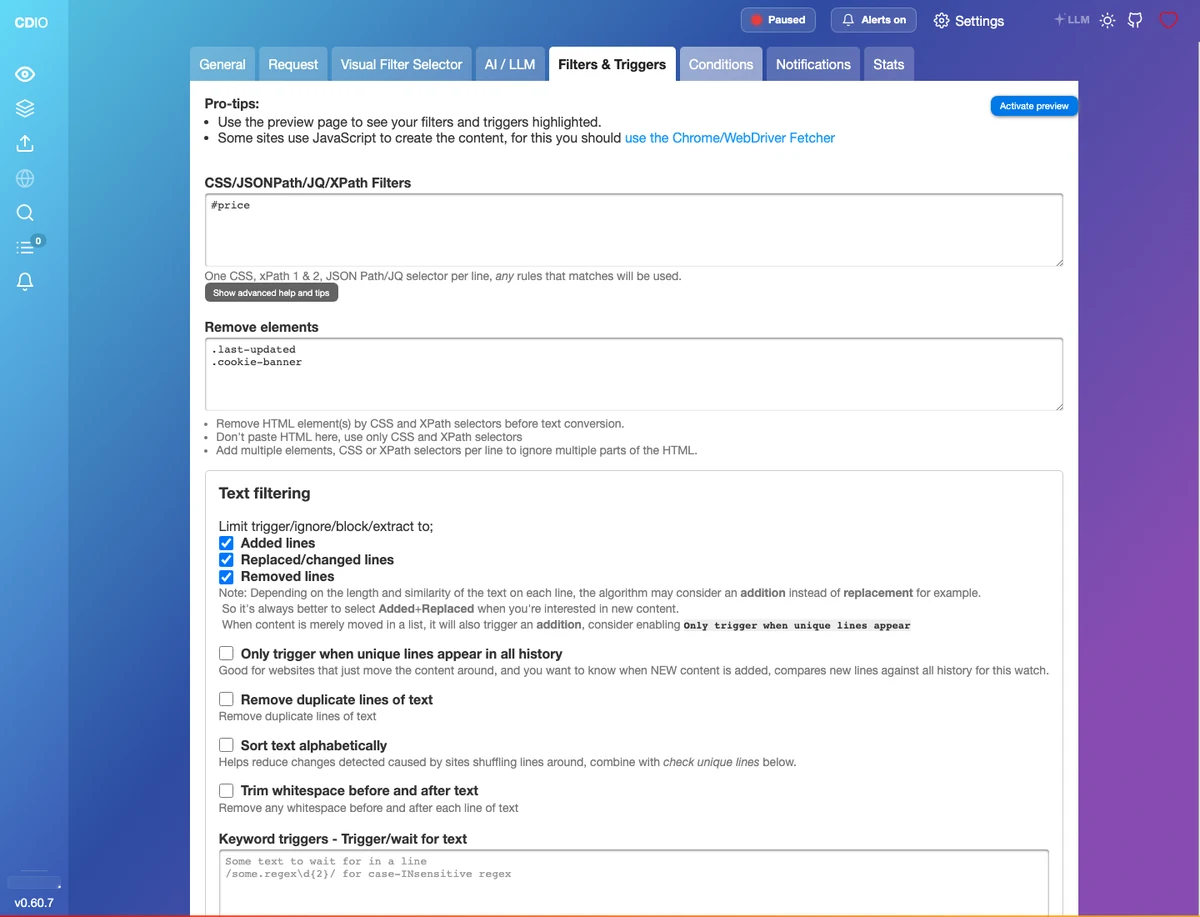
The official hosted offer advertises $8.99/month, up to 5,000 URL watches, one Chrome browser for JavaScript pages, and rechecks from approximately five minutes per runner. It documents CSS/XPath filters, trigger and ignore text, browser steps, and notifications including email and Slack. Additional browsers can be added. Hosted offering.
That makes it a candidate when you want explicit selection rules and can validate workload behavior. It does not establish that every URL completes every five minutes, or that the base subscription meets your required cadence without additions.
Ask what happens when several slow pages become due together. Record completion times and queue behavior before relying on the schedule. Shared-user permissions, retention, and the final add-on bill are unresolved in this comparison. Self-hosting is another option, but someone’s infrastructure and maintenance time still belong in the budget.
ChangeTower: buy the selector you need
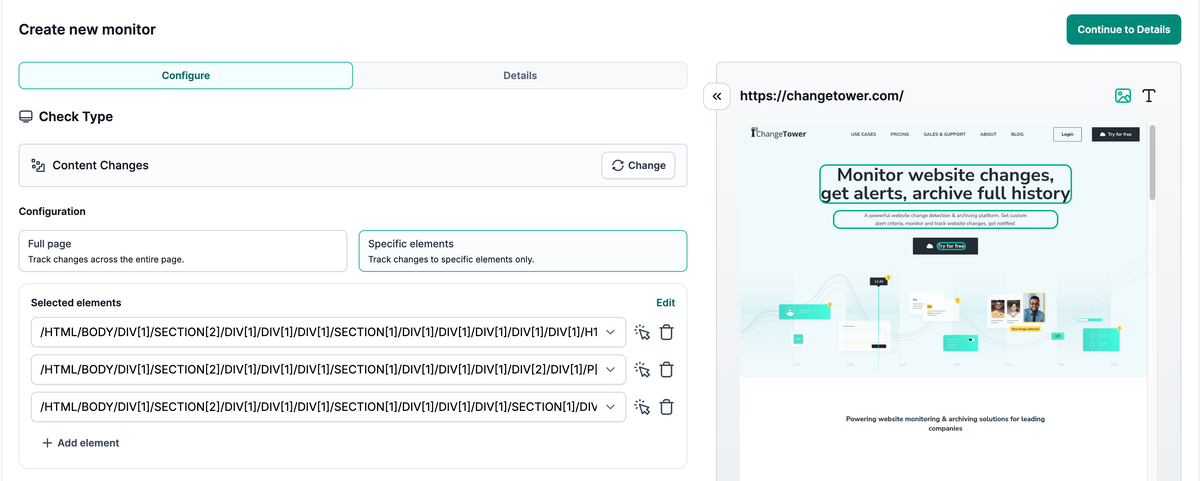
ChangeTower Lite costs $12/month for 25 pages, daily checks, and 30-day history. Essential costs $36 for 100 pages, hourly checks, 60-day history, and section selection. Business costs $78 for 200 pages, 20-minute checks, six-month history, element selection, and Slack/webhooks. A URL counts once regardless of how many things you watch on it. ChangeTower pricing.
Lite can fit if daily whole-page checks answer your question. Section targeting moves the job to Essential; a precise element or native Slack requirement moves it to Business. Spare page capacity won’t help if the plan lacks the selector you need.
History needs a separate check. ChangeTower lists snapshot history on lower tiers but reserves its named full-page archiving feature for Enterprise. If you need to retrieve a page as it appeared on a particular day, confirm which stored evidence the proposed plan supplies.
How do you budget for your watchlist? A 12-page example
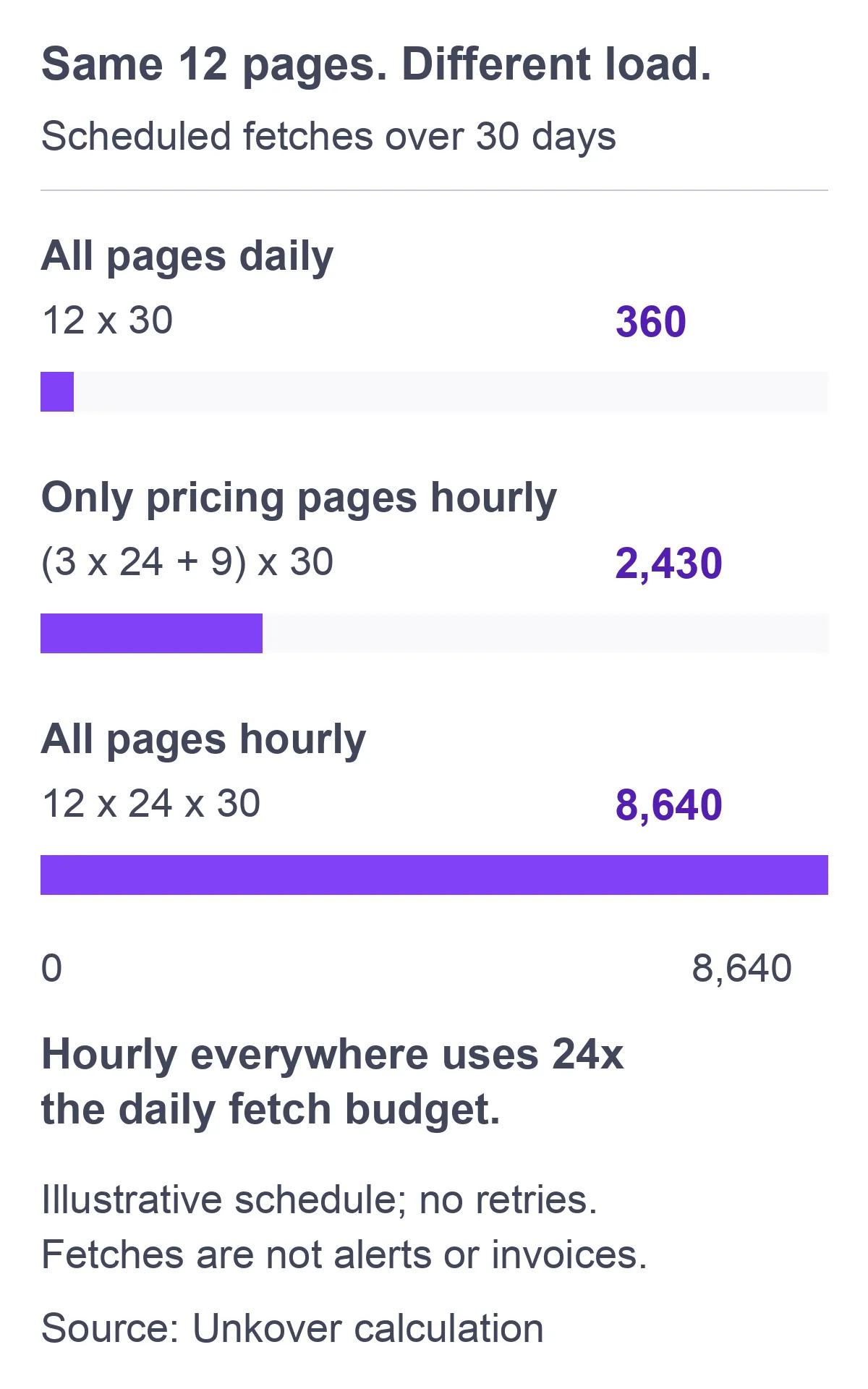
Multiply your URLs by their check frequency and billing-window days, then convert fetches into the vendor’s usage units. In this example, daily checks need 360 fetches, hourly pricing plus daily checks elsewhere needs 2,430, and hourly checks everywhere need 8,640. Page, selector, and delivery limits still determine plan fit.
Example budget case: three competitors x four URLs each (pricing, features, changelog, and homepage) = 12 pages. This is a worked example, not a minimum watchlist. Assume 30 days, one monitor per URL, one selected region per monitor, continuous scheduling, and no setup checks or retries. Replace those assumptions with your own requirements.
| Scenario | Calculation over 30 days | Scheduled fetches |
|---|---|---|
| All 12 daily | 12 x 1 x 30 | 360 |
| Three pricing pages hourly; nine others daily | (3 x 24 x 30) + (9 x 1 x 30) | 2,430 |
| All 12 hourly | 12 x 24 x 30 | 8,640 |
In a 31-day window, those totals become 372, 2,511, and 8,928. Use your actual billing period rather than treating every month as four weeks.
The following calculation applies only to this 12-page example, with email-based triage and section-level selection where available. Smaller watchlists may fit lower tiers. It is not a performance ranking or a quote.
| Candidate | All daily | Mixed cadence | All hourly |
|---|---|---|---|
| Visualping | $35, Personal 5K | $35, Personal 5K | $70, Personal 10K |
| Distill | $15, Starter* | $15, Starter* | $15, Starter* |
| ChangeTower | $36, Essential | $36, Essential | $36, Essential |
| changedetection.io | $8.99 base, conditional | $8.99 base, conditional | $8.99 base, conditional |
Distill assumes one usage unit per scheduled fetch. Its hourly case rises to 17,280 units at two units per fetch, still below Starter’s allowance. At four units per fetch, it reaches 34,560 and exceeds that allowance. Measure the pages; don’t assume their runtime from their appearance.
ChangeTower’s $12 daily alternative requires accepting whole-page monitoring. Element selectors or native Slack change its quoted tier. Visualping’s native Slack requirement also changes the plan. The changedetection.io row remains conditional because the base offer doesn’t establish our workload’s throughput or total add-on cost.
Keep delivery volume separate from fetch volume. A thousand successful checks might find no changes; one busy page might produce many notifications. Budgeting only the first counter leaves the second uncontrolled.
For your worksheet, use these fields: URLs; cadence by URL; billing-window days; expected units per fetch; extra checks; required selectors; recipients; history requirement; quoted additions. Calculate the base workload first, then add an explicitly chosen reserve. Don’t hide an arbitrary safety margin inside the vendor’s stated allowance.
How do filters cut noise without hiding useful changes?
Narrow the monitored region first, then define which detected changes deserve notification. Excluding a rotating testimonial prevents it from becoming part of your comparison; suppressing an alert acts later. Keep those decisions separate, and check the stored change before deciding that a quiet tool failed to notice something important.
Suppose your question is whether a competitor added an export format. Watch the relevant feature list, not its navigation, testimonials, and footer. A new file format deserves inspection; a reordered list may not. Distill documents Net Added and Net Deleted conditions for ignoring text movement, plus numeric conditions that work best with a single selected number. Distill conditions.
In this synthetic debugging example, your selected text changes from “CSV export” to “CSV and PDF export.” A local rule checks whether Added Text contains “PDF.” A forgotten global rule requires the changed text to contain “pricing.” We haven’t tested this setup in a product account.
| Step | Illustrative result |
|---|---|
| Fetch and comparison | New text retrieved; change stored |
| Local PDF condition | Pass |
| Global pricing condition | Fail |
| Final notification decision | Suppressed |
Distill documents that global conditions can still block notifications after local conditions are removed. Inspect the inactive bell’s condition results in change history. The corrective action in this example is to revise the inappropriate global rule, not increase polling frequency. Preserve the old rule and your reason for changing it so the next owner can understand the fix.
For numbers, avoid asking a condition to interpret a whole pricing card containing a price, seat count, and discount percentage. Isolate the numeric target, but preserve its billing and currency context for human interpretation. If that requires a second monitor in your chosen setup, add it to the worksheet: the original 12-monitor calculation no longer describes your configuration.
How can you tell a quiet page from a broken monitor?
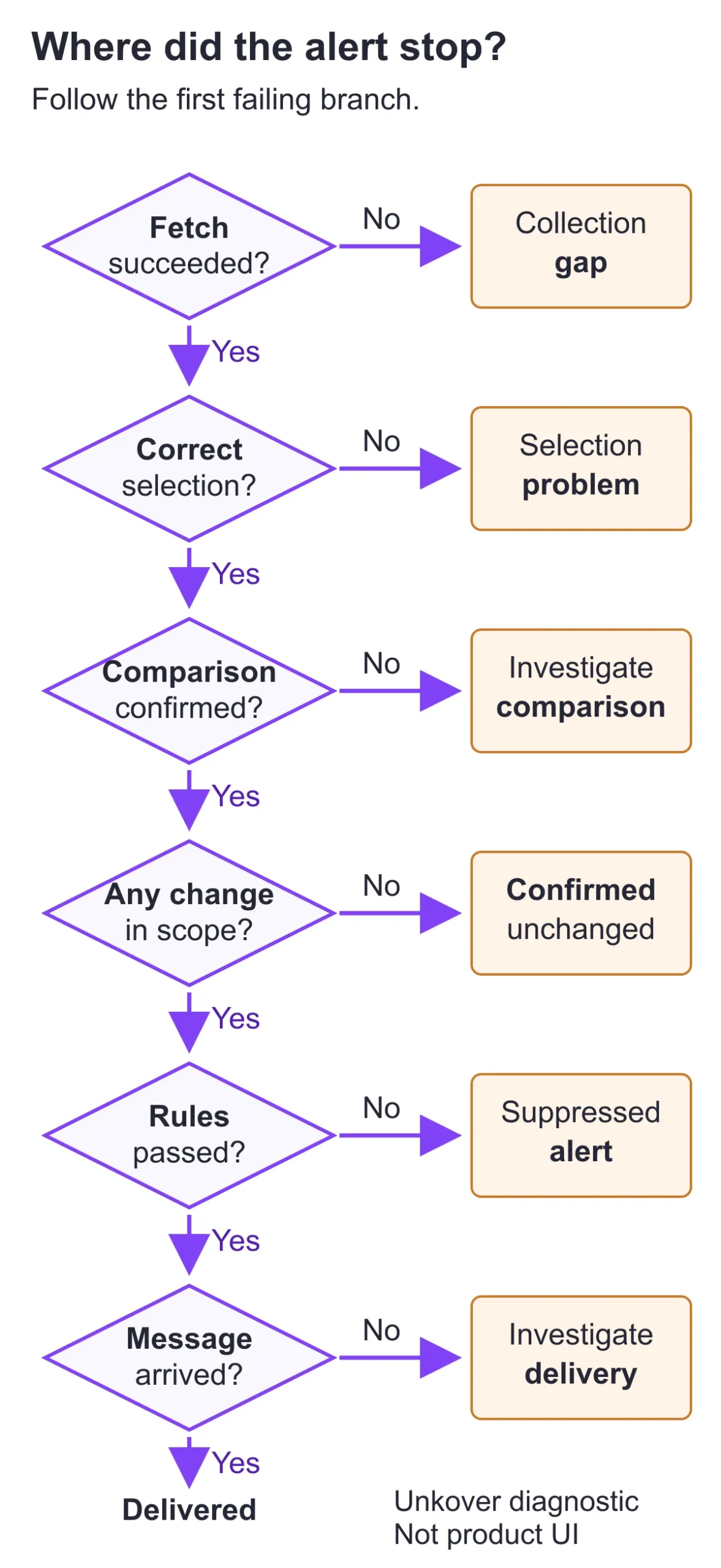
Check the last successful fetch, selected content, stored comparison, and notification result separately. A timeout prevents observation; an empty selector may read the wrong thing; a failed condition can suppress a correctly detected change. Only a recent successful comparison of the intended content supports saying that nothing relevant changed.
Use this flow and evidence table when a stakeholder asks why an expected update never arrived:
| Evidence | Interpretation and next action |
|---|---|
| Recent successful comparison against a valid baseline; intended region unchanged | No change observed in scope during that comparison. |
| Fetch and selection succeed; comparison result missing or unverified | Comparison gap. Verify the baseline and comparison before calling the source unchanged. |
| Timeout, blocked response, or quota pause | Observation gap. Restore collection before making claims about the page. |
| Fetch succeeds; selection empty or points elsewhere | Selection problem. Inspect the rendered page and update the target. |
| Change in history; condition evaluates false | Suppressed alert. Review the rule against the intended use case. |
| Conditions pass; destination has no message | Delivery investigation. Check routing, allowances, and available delivery logs. |
Visualping explicitly says exhausting checks pauses monitoring. That is different from reaching its page cap, which prevents activating another page while existing monitors continue. Quota behavior.
Don’t turn missing evidence into a strategic conclusion. “No pricing changes observed during successful checks” is defensible. “Their pricing hasn’t changed” is not defensible if the monitor stopped collecting on Tuesday.
After a redesign, inspect the selected region even when the HTTP request succeeds. A cookie overlay or changed locale can produce a technically successful fetch of the wrong content. Assign collection failures to the monitor owner; don’t send them to sales as competitor developments.
What belongs in your monitoring specification?
For every page type, record the selected content, cadence, notification rule, recipient, and interpretation check. Repeat that specification for each competitor, using the actual URL and verified selection. The filled example below describes the mixed-cadence scenario; it is a configuration worksheet, not a claim that these monitors have been deployed.
Illustrative owner: your product marketing manager (PMM). Scope: competitors A, B, and C; public pages only. Delivery assumption: PMM triage email, with human routing after inspection. No automatic battlecard changes.
| Page type, once per competitor | Selection and cadence | Notify when… |
|---|---|---|
| Pricing | One plan’s price plus billing/currency context; hourly | Value or billing terms change |
| Features | Relevant feature list, excluding rotating sections; daily | Feature text is added or removed |
| Changelog | New-entry region; daily | A previously unseen entry appears |
| Homepage | Positioning heading and subheading; daily | Selected message changes |
Keep interpretation checks beside that specification, not buried in someone’s memory:
| Page type | Before escalating |
|---|---|
| Pricing | Confirm currency and annual/monthly toggle; empty selection is not a removed price. |
| Features | Confirm the region survived a redesign; reordering is not a new capability. |
| Changelog | Compare entry identity, not just position; repeated entries aren’t new releases. |
| Homepage | Check locale and experiment variants before inferring a positioning shift. |
These are intended behaviors to configure and verify, not claims that every product implements identical rules. If you need numeric filtering as well as context, validate whether your chosen selection can support both. Any additional URL watches or monitors belong in the cost calculation.
For each actual setup, add the latest successful-check timestamp and the date someone last confirmed the selector. In the illustrative PDF-export incident, your note would say: “Feature text changed; global condition blocked delivery; rule corrected by PMM.” It would not say: “Vendor missed release.”
When a change warrants a competitive intelligence report, include the source URL, before-and-after evidence, and your interpretation. Explain what the team should do with that evidence; forwarding the alert leaves that work to the reader.
When should you move beyond page-change monitoring?
Move beyond these tools when the missing information isn’t on your watchlist: search visibility, wider market coverage, or evidence connected to deals and sales workflows. More frequent page checks won’t solve a source or distribution gap. First identify the missing decision input, then evaluate a broader category against that requirement.
Our guide to broader competitive intelligence tools covers that category decision. Use this comparison for the narrower page-monitoring configuration, not as a substitute for a full CI stack evaluation.
Start with the pricing, feature, changelog, or positioning changes your team needs to know about. Use the worksheet above to choose competitor monitoring tools that fit your pages, cadence, and delivery needs. Validate the filters and assign someone to review each relevant alert. Keep source failures separate from suppressed alerts so you know what to investigate when the inbox goes quiet.